
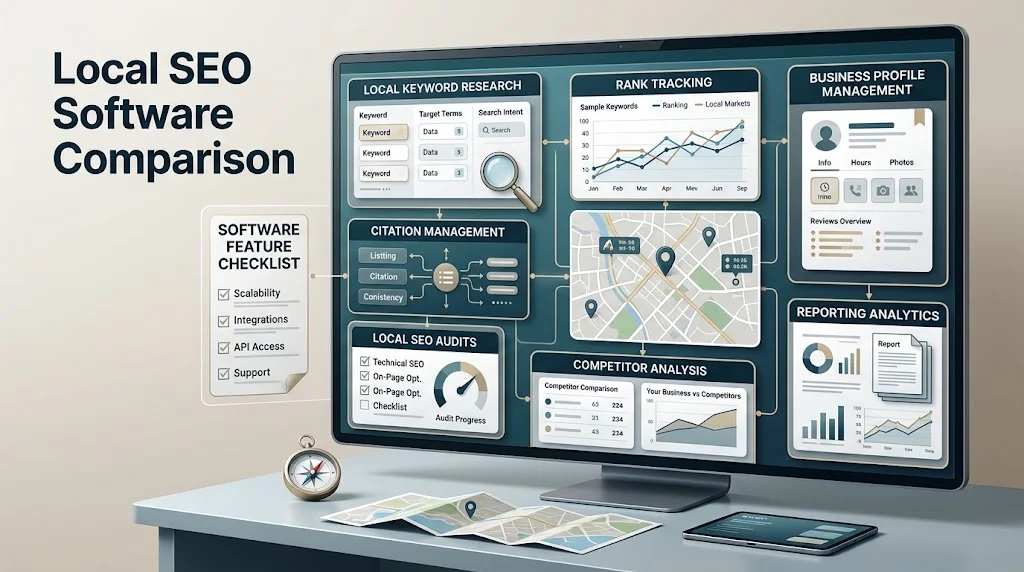
Choosing local SEO software is not simply a matter of finding the platform with the longest feature list. A small business with one location may need straightforward rank tracking and keyword research, while an agency may require reporting, multiple users, competitor monitoring, and scalable workflows.
That is why a proper local SEO software comparison should focus on how well a tool matches your goals, locations, workflow, data requirements, and budget.
Local SEO software can bring several activities into one workflow, including keyword research, local rank tracking, citation management, competitor analysis, audits, review monitoring, and reporting. However, different platforms focus on different capabilities.
This guide explains what to compare, which features matter for different use cases, and how to choose software without paying for functionality you do not actually need.
What Is Local SEO Software?
Local SEO software is a category of digital marketing software designed to help businesses monitor, manage, and improve their visibility in local search.
Depending on the platform, local SEO software may include tools for:
- Local keyword research
- Geographic rank tracking
- Business profile management
- Citation monitoring
- Competitor analysis
- Review monitoring
- Website and local SEO audits
- Reporting
- Multi-location management
Some platforms concentrate on one specific function, while others combine several capabilities into a broader local SEO platform.
Before comparing individual features, it helps to understand the different categories of tools and the problems they are designed to solve. A detailed guide to local SEO software can provide additional context on how these platforms fit into a local search workflow.
The important point is that software should support an SEO strategy rather than replace it. A platform can organize information and automate certain tasks, but businesses still need to make decisions based on their market, customers, competitors, and website.
Why Compare Local SEO Software Before Choosing a Tool?
Local SEO requirements vary considerably from one business to another.
A single-location restaurant, for example, may prioritize local rankings, reviews, and business profile monitoring. An agency managing dozens of clients may care more about reporting, user access, automation, and scalability.
Before selecting a platform, consider:
- Business goals: Are you focused on visibility, reporting, research, or ongoing management?
- Number of locations: One location and hundreds of locations can require very different workflows.
- SEO experience: Beginners may value simplicity, while experienced professionals may need deeper data.
- Reporting requirements: Agencies often need customizable reports and client-facing dashboards.
- Budget: Paying for advanced capabilities that are rarely used can reduce the value of the software.
- Automation: Some teams benefit from automating repetitive monitoring and reporting tasks.
- Data requirements: Different tools may collect, organize, and present information differently.
The platform with the most features is not automatically the right choice. A simpler tool that fits your workflow can be more useful than a complex platform filled with capabilities your team rarely uses.
Types of Local SEO Software
There is no single definition of a local SEO platform. The market includes specialized tools as well as broader platforms that combine several functions.
Local Keyword Research Software
Keyword research tools help identify searches relevant to a location, service, product, or customer need.
Useful capabilities may include geographic filters, search volume information, keyword difficulty, related terms, competitor data, and long-tail keyword discovery.
Local Rank Tracking Software
Rank tracking tools monitor how pages or businesses appear for selected searches in specific geographic areas.
Depending on the platform, tracking may be available at city, ZIP or postal-code, or other geographic levels.
Google Business Profile Tools
These tools may help businesses monitor or manage information associated with their local presence, including reviews, categories, services, and other profile-related information.
Citation Management Software
Citation tools focus on business listings and directory information. They can help identify listings, monitor consistency, find duplicates, or manage business information across supported directories.
Local SEO Audit Software
Audit platforms examine websites and other local SEO signals to identify potential issues or opportunities.
Local Competitor Analysis Software
Competitor analysis tools help businesses investigate competitors’ rankings, keywords, websites, listings, reviews, and other visible search signals.
Local SEO Reporting Software
Reporting tools turn SEO data into reports or dashboards that can be used by business owners, marketing teams, and agencies.
All-in-One Local SEO Platforms
All-in-one platforms combine several capabilities into one environment. This can reduce the need to switch between multiple systems, although specialized tools may provide greater depth for particular tasks.
If you are comparing different categories and providers, reviewing best tools for local SEO can help you understand how broader options fit different requirements.
Local SEO Software Comparison: What Features Matter?
The most useful way to compare local SEO software is to evaluate features according to the job they need to perform.
| Feature | What It Does | Best For |
|---|---|---|
| Keyword research | Finds and evaluates search terms | Content and local search planning |
| Local rank tracking | Monitors rankings by location | Measuring search visibility |
| Business profile management | Helps monitor profile-related information | Local presence management |
| Citation management | Tracks business listings and consistency | Listing management |
| Competitor analysis | Provides competitive search insights | Market research |
| SEO audits | Identifies potential optimization issues | Technical and local reviews |
| Review monitoring | Helps monitor customer feedback | Reputation management |
| Reporting | Organizes SEO data for stakeholders | Agencies and businesses |
| Multi-location management | Helps manage multiple locations | Franchises and larger businesses |
| Integrations | Connects software with other systems | Connected workflows |
| Automation | Reduces repetitive manual tasks | Larger or recurring workflows |
| Data exports | Makes data available outside the platform | Analysis and reporting |
The exact capabilities, limits, and data sources vary between platforms. Therefore, feature names alone should not determine your decision.
Local Keyword Research Features
When comparing local keyword research software, look beyond basic keyword volume.
Useful capabilities may include:
- Local keyword discovery
- Geographic filtering
- Search volume data
- Keyword difficulty
- Search intent information
- Competitor keyword research
- Long-tail keyword discovery
- Keyword grouping
- Data export
Local keyword research is most useful when it reflects what customers actually search for in a particular market.
For example, a service business may find that customers use different terms for the same service. A good research process can uncover those variations and help determine which searches deserve dedicated pages, content, or other optimization work.
Search volume should also be interpreted carefully. A keyword with a large estimated volume is not automatically more valuable than a smaller query with strong commercial intent.
Local Rank Tracking Features
Local rankings can vary based on geographic location and search context, so rank tracking needs to reflect the areas that matter to the business.
When comparing rank tracking capabilities, consider:
- City-level tracking
- ZIP or postal-code tracking
- Other geographic tracking options
- Local pack visibility
- Organic rankings
- Mobile and desktop tracking
- Historical ranking data
- Competitor tracking
- Ranking alerts
- Reporting
Historical data can be particularly useful because it allows teams to identify trends rather than focusing on one ranking snapshot.
At the same time, rankings should not be treated as the only measure of SEO performance. Traffic, conversions, calls, leads, visibility, and other business outcomes may provide additional context.
Google Business Profile and Local Visibility Features
A business’s presence on Google is an important part of local search visibility. Local SEO software may help monitor or organize information related to business profiles, reviews, categories, services, and other local signals.
Businesses should ensure that their information remains accurate and follows applicable platform guidelines. Google’s own resources for managing your business presence on Google can be used when businesses need official information about managing their presence.
Software can make monitoring easier, but it should not encourage businesses to manipulate profiles or create inaccurate information.
Citation Management Features
Citations are references to a business’s information on online directories and other platforms.
When comparing citation management software, consider whether it can help with:
- Business listing discovery
- Citation monitoring
- Listing consistency
- Duplicate detection
- Directory management
- Business information updates
Consistency is important because conflicting business details can create confusion for customers and make local information harder to manage.
However, citation quantity should not be treated as a simple ranking formula. Businesses should prioritize relevant, accurate listings rather than pursuing large numbers of low-quality directories.
Local SEO Audit Features
Local SEO audit software can help identify areas that deserve attention across a website and local presence.
An audit may examine:
- Website optimization
- Business information
- Location pages
- Technical SEO
- Local signals
- Listings
- Reviews
- Structured data
- Search visibility
Automated audits are useful for identifying potential issues, but they should not be treated as final strategic recommendations.
For example, software might flag a page because of a technical condition, but a human still needs to determine whether fixing that condition would meaningfully improve the site’s usefulness or performance.
Local Competitor Analysis Features
Competitor analysis can reveal how other businesses are approaching local search.
Depending on the platform, useful data may include:
- Competitor rankings
- Keyword visibility
- Local search presence
- Website content
- Reviews
- Business listings
- Backlinks
- Local market opportunities
The goal should be to understand the competitive environment rather than copy another business.
For example, if several competitors have useful location-specific content that your website lacks, that may identify a content opportunity. It does not mean the competing pages should simply be duplicated.

Local SEO Reporting Features
Reporting requirements can significantly influence software selection.
Businesses and agencies may want to compare:
- Custom reports
- White-label reports
- Scheduled reporting
- Client dashboards
- Keyword rankings
- Local visibility
- Review information
- Citation data
- Performance trends
- Data exports
A small business owner may only need a straightforward monthly summary, whereas an agency may need reports for many clients.
The best reporting system is therefore the one that communicates relevant information clearly without creating unnecessary work.
Local SEO Software Reviews: What Should You Look For?
Software reviews can be useful during research, but readers should evaluate the quality of the review itself.
A useful review should explain:
- Who the software is designed for
- Which use cases it supports
- Which features are available
- What limitations exist
- Whether pricing information is current
- How the platform compares with alternatives
- Which types of businesses may benefit from it
- Which users may be better served by another approach
It is also important to distinguish factual information from opinion.
A review saying that a platform has a particular feature should ideally be based on current, verifiable information. Claims about performance should be treated carefully, especially when they imply that using software automatically produces higher rankings.
For a broader evaluation framework, see these local SEO tool reviews.
Local SEO Software for Small Businesses
Small businesses usually benefit from focusing on essential capabilities rather than purchasing the most sophisticated platform available.
Important considerations may include:
- Ease of use
- Local keyword research
- Rank tracking
- Business profile monitoring
- Review monitoring
- Basic reporting
- Appropriate usage limits
- Customer support
- Affordability
A single-location business may not need advanced enterprise workflows. A straightforward platform that provides the necessary information can be more practical.
The key is to identify which activities the business actually needs to monitor and manage.
Local SEO Software for Agencies
Agencies generally have more complex requirements because they may manage multiple clients, locations, campaigns, and reporting schedules.
Important agency considerations include:
- Multiple client accounts
- Multiple locations
- User permissions
- White-label reporting
- Client dashboards
- Data exports
- Automated reporting
- Competitor monitoring
- Scalable workflows
Agencies should also consider how much manual work is involved in recurring tasks.
A tool that saves time across dozens of client workflows may provide substantially more operational value than a platform that offers one additional feature that the agency rarely uses.
Local SEO Software for Multi-Location Businesses
Businesses with multiple locations have another layer of complexity.
They may need:
- Centralized management
- Location-level rankings
- Location-specific keywords
- Business profile workflows
- Citation consistency
- Review monitoring
- Local competitor data
- Location-level reporting
- Scalable processes
For example, a business operating in ten cities may need to understand performance at each location rather than relying only on one overall ranking report.
Scalability should therefore be considered early. A platform that works well for two locations may become less practical if the business expands significantly.
All-in-One vs Specialized Local SEO Software
All-in-one and specialized tools both have advantages.
| Factor | All-in-One Platform | Specialized Tool |
|---|---|---|
| Number of features | Usually broader | Usually narrower |
| Depth of individual features | May vary | Often focused on a specific task |
| Ease of management | One central platform | Multiple platforms may be needed |
| Workflow integration | Potentially simpler | May require more integration |
| Cost | Depends on platform and plan | Can vary by number of tools |
| Scalability | Depends on platform | Depends on individual tools |
| Data depth | Varies | May be deeper for a specific function |
| Best use case | Teams wanting broader coverage | Teams needing specialized functionality |
An all-in-one platform can reduce tool switching and simplify workflows. Specialized software can be useful when a business needs advanced capabilities in one particular area.
Neither approach is automatically better.
Free vs Paid Local SEO Software
Local SEO software is available through different pricing models, including free tools, freemium products, trials, subscriptions, and enterprise plans.
When comparing free and paid options, consider:
- Available features
- Usage limits
- Number of locations
- Reporting capabilities
- Automation
- Historical data
- Support
- Export options
Free tools can be useful for basic research or occasional tasks. Paid platforms may make more sense when local SEO is a recurring business process.
Always verify current pricing, plan limits, and included features directly with the provider before making a purchase.
How to Compare Local SEO Software
A structured evaluation process can make the decision easier.
Step 1: Define Your SEO Goals
Determine what you actually want the software to help you accomplish.
Are you primarily interested in rankings, keyword research, citations, reporting, competitor research, or broader local SEO management?
Step 2: Count Your Locations
Identify how many locations need to be monitored or managed now and how many you may have in the future.
Step 3: Identify Required Features
Separate essential features from optional ones.
This prevents impressive but unnecessary functionality from influencing the purchase decision.
Step 4: Determine Who Will Use the Tool
Consider whether the platform will be used by:
- A business owner
- An in-house marketer
- An SEO specialist
- An agency team
- Multiple departments
User access and permissions can become important as teams grow.
Step 5: Compare Data Sources
Understand where the software gets its information and how frequently relevant data is updated.
Step 6: Evaluate Ease of Use
A powerful platform is less useful if your team struggles to understand or use it efficiently.
Step 7: Check Integrations
If your workflow depends on other systems, check whether the software can connect with them or export the required information.
Step 8: Review Reporting
Determine whether the reports provide the information your stakeholders actually need.
Step 9: Check Usage Limits
Pay attention to limits on:
- Keywords
- Locations
- Users
- Projects
- Reports
- Data history
- Exports
Step 10: Compare Total Cost
Look beyond the headline subscription price.
Consider whether you would need additional tools, users, upgrades, or services to achieve your intended workflow.
Step 11: Test the Workflow
If a trial or demonstration is available, use it to perform realistic tasks rather than simply browsing the dashboard.
Step 12: Choose Based on Business Fit
The final choice should reflect actual requirements rather than the number of features listed on a product page.
For broader SEO strategy, Google’s Google search optimization guidance can also provide useful context about creating useful, search-friendly websites.
Local SEO Software Comparison Checklist
Use this checklist before selecting a platform:
- Supports the required number of locations
- Tracks local rankings
- Provides useful keyword research
- Supports competitor analysis
- Handles relevant citation workflows
- Provides useful audit capabilities
- Supports review monitoring
- Provides appropriate reporting
- Offers required integrations
- Has suitable user limits
- Fits the budget
- Provides sufficient historical data
- Is easy for the team to use
- Can scale with the business
This checklist can also help you compare several platforms objectively instead of making a decision based on a single feature.
Questions to Ask Before Choosing Local SEO Software
How many locations can I manage?
Check the number of locations included in the plan and whether additional locations require an upgrade.
How many keywords can I track?
Keyword limits can become important for agencies and multi-location businesses, so verify the limits before choosing a platform.
Does it support local search tracking?
Determine whether the software can monitor rankings at the geographic level relevant to your business.
Can multiple users access the platform?
If several team members need access, check user limits and permission options.
Can reports be customized?
Agencies and marketing teams may need reports that show only the metrics relevant to each client or stakeholder.
Does it support agencies?
Look for workflows that make managing multiple clients easier, including reporting, account management, and data organization.
Can data be exported?
Exports can be useful for analysis, presentations, spreadsheets, and combining information from multiple sources.
What integrations are available?
Check whether the platform works with the systems already used by your team.
How frequently is data updated?
Data freshness can matter when monitoring rankings, reviews, listings, or other changing information.
What happens if the business grows?
Consider whether the platform can accommodate additional locations, users, keywords, or clients.
What support is included?
Review the available support options and documentation.
Are important features restricted to higher plans?
A tool may appear affordable initially but become more expensive once you need additional locations, users, reports, or data.
Common Local SEO Software Comparison Mistakes
Several mistakes can lead to choosing the wrong platform.
Choosing Based Only on Price
The cheapest option is not necessarily the best value, especially if it requires additional tools to fill important gaps.
Choosing Based Only on Feature Count
More features can create complexity without adding meaningful value.
Ignoring Location Limits
Location restrictions can become a major issue for franchises and growing businesses.
Ignoring Keyword Limits
A platform that works for a small campaign may not work as well when the number of tracked searches increases.
Ignoring Reporting Requirements
Reporting should be considered before selecting software, particularly for agencies.
Ignoring Data Quality
A dashboard can look impressive while still providing information that is not useful for your decision-making process.
Buying Overlapping Tools
Using several platforms with nearly identical capabilities can increase cost and workflow complexity.
Assuming Automation Equals Better SEO
Automation can save time, but it does not replace strategy, analysis, or editorial judgment.
Choosing Before Defining Goals
Start with the problem you need to solve rather than starting with a software brand.
Treating Software as a Guarantee of Results
No software should be treated as a guarantee of rankings, traffic, leads, or revenue.
Failing to Test Workflows
A demonstration may look good, but realistic testing can reveal whether the platform actually fits your daily processes.
Ignoring Scalability
Think about future requirements, not only today’s needs.
How to Build a Local SEO Tool Stack
The ideal tool stack depends on the size and complexity of the business.
Basic Stack
A small business may need only essential capabilities such as:
- Keyword research
- Local rank tracking
- Business profile monitoring
- Basic reporting
The objective is to cover essential tasks without creating unnecessary complexity.
Growth Stack
A growing business may add:
- Competitor analysis
- Citation management
- Reviews
- Local audits
- More detailed reporting
The stack can expand as the company’s SEO program becomes more sophisticated.
Agency Stack
An agency may require:
- Multiple client projects
- Rank tracking
- Competitor research
- Reporting
- Data exports
- User management
- Automation
The priority should be efficient recurring workflows.
Multi-Location Stack
A multi-location business may need:
- Location-level rank tracking
- Business profile workflows
- Citation management
- Review monitoring
- Competitor analysis
- Location-specific reporting
- Centralized management
The most important consideration is whether the system can manage the business’s geographic complexity without creating excessive manual work.
Local SEO Software and ROI
Software ROI should not be measured only by ranking changes.
A platform can provide operational value by helping a team:
- Save time
- Reduce repetitive reporting work
- Organize SEO data
- Identify issues faster
- Prioritize opportunities
- Communicate results
- Manage more clients or locations
- Improve workflow consistency
For example, an agency may find value in automated reporting because it reduces hours of repetitive work each month. A multi-location business may value centralized monitoring because it makes it easier to identify location-level issues.
The right question is not simply, “Will this software increase rankings?”
Instead, ask:
“Does this software help us make better SEO decisions and manage our local search workflow more efficiently?”
Frequently Asked Questions
What is local SEO software?
Local SEO software helps businesses and SEO professionals research, monitor, manage, and report on activities related to local search visibility. Depending on the platform, it may include keyword research, rank tracking, citation management, competitor analysis, audits, reviews, and reporting.
What should I look for when comparing local SEO software?
Focus on the features that match your goals, number of locations, users, reporting requirements, data needs, integrations, usage limits, ease of use, and budget.
What is the best local SEO software?
There is no single platform that is best for every business. The right choice depends on the capabilities and workflow the business actually needs.
Is all-in-one local SEO software better?
Not necessarily. All-in-one platforms can simplify workflows, while specialized tools may provide greater depth for particular tasks. The better option depends on your requirements.
What local SEO software is best for small businesses?
Small businesses should generally prioritize ease of use and essential functionality such as keyword research, local rank tracking, profile monitoring, reviews, and basic reporting.
What local SEO software is useful for agencies?
Agencies may benefit from platforms that support multiple clients, users, locations, reporting workflows, data exports, competitor monitoring, and automation.
What software is useful for multiple locations?
Multi-location businesses should prioritize location-level tracking, centralized management, business profile workflows, citations, reviews, competitor research, and scalable reporting.
Can local SEO software track local search rankings?
Many local SEO platforms offer geographic rank tracking, although the specific locations, search types, devices, and tracking limits vary by provider.
Does local SEO software guarantee higher rankings?
No. Software can provide data and help organize SEO workflows, but rankings depend on many factors and no software should be presented as a guarantee of improved rankings.
Should I use one tool or several specialized tools?
It depends on your workflow. One broader platform may simplify management, while several specialized tools may be appropriate when deeper functionality is needed in specific areas.
Final Thoughts
A good local SEO software comparison should start with your business requirements rather than a list of product features.
Consider how many locations you manage, what data you need, who will use the platform, how much reporting is required, and which SEO activities need the most support.
All-in-one platforms can make broader workflows easier to manage, while specialized tools may provide deeper functionality for individual tasks. Small businesses, agencies, and multi-location organizations may therefore reach different conclusions even when evaluating the same software.
The right local SEO software is not necessarily the platform with the longest feature list. It is the one that fits your locations, workflow, reporting needs, data requirements, budget, and long-term SEO goals.