
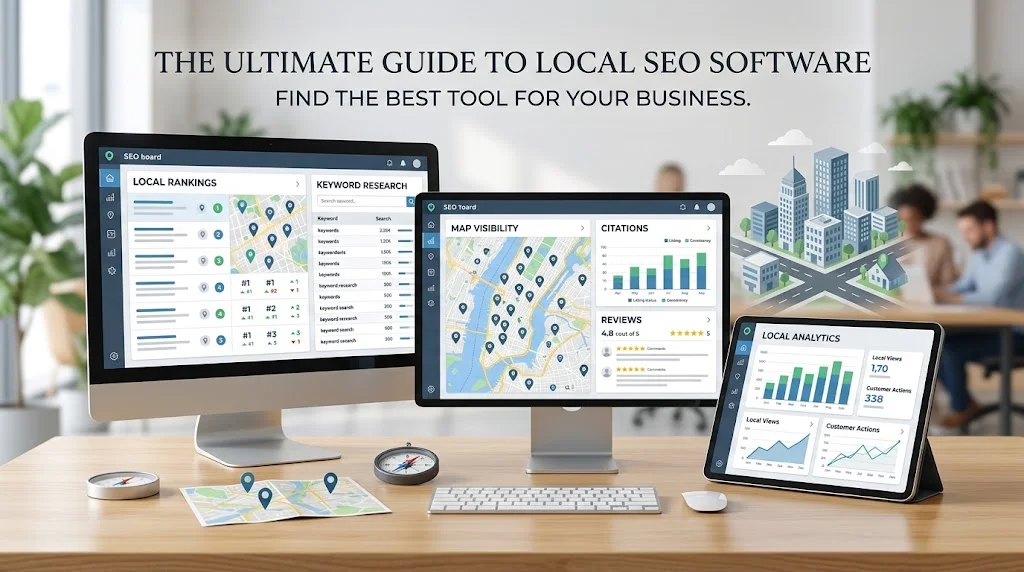
Choosing the best local SEO software is not simply about finding a platform with the longest feature list. The right choice depends on what a business needs to monitor, how many locations it manages, who will use the software, and how much reporting or automation is required.
A small business may need straightforward local rank tracking and listing management, while an SEO agency may need client dashboards, automated reporting, and scalable workflows. Multi-location businesses have different requirements again, particularly around location-level tracking and centralized management.
Local SEO software can bring important data and recurring tasks into a more organized workflow. However, software does not replace SEO strategy, implementation, or human analysis.
This guide explains how to evaluate local SEO platforms, which features matter most, how requirements differ between business types, and how to choose a solution based on actual needs rather than popularity or price alone.
What Makes Local SEO Software Useful?
Local SEO software is useful when it makes location-focused SEO easier to monitor, analyze, and manage.
Depending on the platform, it may bring several activities together, including:
- Local rank tracking
- Keyword research
- Business listing management
- Google Business Profile support
- Competitor analysis
- Local SEO auditing
- Review monitoring
- Reporting and analytics
- Multi-location management
The value of a platform is not simply the amount of data it provides. More important is whether that data helps you identify meaningful changes and make better decisions.
For example, knowing that a keyword moved in the search results is useful. Understanding whether that movement affects an important service, location, or group of potential customers is more actionable.
For readers who want a broader understanding of the category before comparing individual platforms, our guide to software for local SEO explains how these tools fit into a wider local SEO workflow.
How to Evaluate the Best Local SEO Software
There is no single platform that is automatically the best for every business. A useful comparison starts by identifying the capabilities that matter most for your specific SEO workflow.
Local Rank Tracking
Local rankings can vary according to geographic location, keyword, device, and search context.
A capable rank-tracking system should make it possible to monitor important keywords at the geographic level that matters to the business.
Look for capabilities such as:
- Location-specific rankings
- Keyword-level tracking
- Mobile and desktop tracking where relevant
- Historical ranking data
- Multiple-location tracking
- Filtering and comparison options
Historical data is particularly useful because one ranking check provides only a snapshot. Trends over time can reveal whether visibility is improving, declining, or fluctuating.
Local Keyword Research
Local keyword research should help you understand how potential customers search for products and services in specific areas.
Useful capabilities may include:
- Location-based queries
- Geographic modifiers
- Service-related searches
- Search intent
- Related search terms
- Local keyword opportunities
The goal is not to collect the largest possible keyword list. Relevance matters more than volume.
For example, a local electrician is more likely to benefit from relevant service-and-location searches than from thousands of unrelated keywords.
Business Listing Management
Business listings contain information customers may use when deciding whether to call, visit, or contact a business.
Depending on the platform, listing management may help monitor information such as:
- Business name
- Address
- Phone number
- Website
- Opening hours
- Business categories
- Other supported business details
This can reduce repetitive manual checking, particularly when a business has listings across several platforms.
However, automation should not replace verification. Important business information should still be reviewed to ensure it remains accurate.
Google Business Profile Support
Google Business Profile is an important component of local search visibility for eligible businesses.
Depending on the software, useful capabilities may include monitoring profile information, reviews, visibility, and related local SEO activity.
Businesses should also use Google’s official business profile resources when creating, managing, or verifying business information.
Third-party software can make monitoring and reporting more convenient, but it should complement rather than replace first-party resources.
Competitor Analysis
Local competitor analysis can help businesses understand how competing companies perform for relevant searches.
Depending on the platform, you may be able to compare:
- Local competitors
- Ranking differences
- Keyword visibility
- Potential visibility gaps
- Competitor strengths
- Local search opportunities
The purpose is not to copy competitors.
Instead, competitor data can identify areas worth investigating. If several competitors consistently appear for an important service-related search, for example, you can examine whether differences in content, landing pages, business information, relevance, or other SEO factors may help explain that visibility.
Reporting and Analytics
Reporting becomes especially important when SEO performance needs to be communicated to clients, managers, or business owners.
Useful reporting capabilities may include:
- Ranking reports
- Visibility trends
- Performance dashboards
- Client reporting
- Data exports
- Scheduled reports
- Customizable views
A useful report should make important changes easy to understand. More charts do not automatically mean better reporting.
For agencies, the ability to turn recurring data into clear client-facing reports can also reduce administrative work.
Best Local SEO Software Features to Look For
When comparing platforms, focus on whether each feature solves a genuine business or workflow requirement.
| Feature | Why It Matters | Best For |
| Local rank tracking | Shows visibility changes by location and keyword | All local businesses |
| Keyword research | Identifies relevant search opportunities | Businesses and SEO professionals |
| Citation management | Helps maintain important business listings | Local businesses |
| Business profile management | Supports monitoring of local business information | Businesses and agencies |
| Competitor analysis | Helps identify competitive gaps and opportunities | SEO professionals and agencies |
| Local SEO auditing | Helps uncover potential optimization issues | Businesses and consultants |
| Review monitoring | Makes customer feedback easier to monitor | Customer-facing businesses |
| Reporting | Turns SEO data into understandable performance information | Agencies and businesses |
| Multi-location management | Centralizes location-level SEO workflows | Multi-location businesses |
| Integrations | Connects SEO data with other systems | Agencies and larger organizations |
Not every business needs every capability. A platform with fewer features can be the better choice if it handles the tasks you actually perform well.
Best Local SEO Software for Different Business Types
The right software depends heavily on who will use it and what the platform needs to accomplish.
Small Businesses
Small businesses generally need essential local SEO capabilities without unnecessary complexity.
Important features may include:
- Local rank tracking
- Relevant keyword research
- Listing management
- Competitor monitoring
- Straightforward reporting
- An easy-to-use interface
The software should make SEO management easier rather than create another complicated system to maintain.
SEO Agencies
Agencies often have more demanding requirements because they manage multiple clients and campaigns.
They may need:
- Multiple projects
- Client dashboards
- White-label reporting
- Automated reports
- Scalable rank tracking
- Team workflows
- User permissions
- Integrations
An agency should evaluate how efficiently a platform fits into its recurring workflow, not just how many features it advertises.
Freelancers
Freelancers often need a practical balance between functionality, efficiency, and cost.
Useful capabilities can include reliable rank tracking, reporting, competitor research, project organization, and easy data exports.
A focused platform may provide more practical value than an enterprise-level system when the freelancer does not need advanced features.
Multi-Location Businesses
Multi-location businesses have to manage local SEO at both the individual-location and organizational levels.
Important capabilities can include:
- Location-level tracking
- Centralized management
- Location comparisons
- Scalable reporting
- Keyword organization
- Listing monitoring
The ability to compare locations can also help identify which branches require additional attention.
Best Local SEO Software for Small Businesses
Small businesses should not automatically choose the most expensive platform.
Instead, begin by identifying the problems the software needs to solve.
For many smaller businesses, priorities may include:
- Reliable local rank tracking
- Relevant keyword research
- Business listing management
- Basic competitor analysis
- Clear reporting
- Simple usability
Affordability matters, but price should be considered alongside functionality.
A low-cost tool may not provide good value if it lacks an important capability or requires substantial manual work. At the same time, paying for advanced features that will rarely be used can unnecessarily increase costs.
The best option is usually the one that provides the required functionality without making everyday SEO work harder.
Best Local SEO Software for Agencies
Agencies should evaluate software from a workflow and scalability perspective.
Managing one local business is very different from managing multiple clients, locations, keywords, reports, and team members.
Agency-focused evaluation should include:
- Multi-client management
- White-label reporting
- Automated reporting
- Scalable rank tracking
- Client dashboards
- Integrations
- Team workflows
- User permissions
Before committing, test a realistic client workflow. Create a project, add locations and keywords, review rankings, analyze competitors, generate a report, and determine how easily another team member can access the necessary information.
The goal is to find software that reduces repetitive work rather than introducing another layer of administration.
How Much Does Local SEO Software Cost?
Local SEO software does not have one standard pricing model.
Costs can vary according to:
- Number of locations
- Number of keywords
- Number of users
- Clients or projects
- Reporting requirements
- Available features
- Integrations
- Enterprise requirements
Some platforms may structure plans around locations or keywords, while others may use projects, users, features, or usage limits.
Instead of comparing only the subscription price, consider the overall value.
Ask:
- Does it support the locations I need?
- Is the data sufficiently useful for my work?
- Will my team actually use the available features?
- How much repetitive work can it reduce?
- What happens when I add locations or clients?
- Are essential capabilities restricted to higher plans?
The cheapest option is not necessarily the best value, while an expensive platform is not automatically better.
Free vs Paid Local SEO Software
Free tools can be useful for basic research and occasional checks. Paid platforms may provide broader tracking, reporting, automation, and centralized management.
| Factor | Free Tools | Paid Platforms |
| Basic research | Often sufficient | Usually more extensive |
| Rank tracking | May be limited | Usually more configurable |
| Reporting | Often basic or manual | More advanced options may be available |
| Automation | Limited | Generally broader |
| Multiple locations | Often restricted | Usually better suited to larger workflows |
| Competitor analysis | May be limited | Often more extensive |
| Scalability | Can become restrictive | Typically better suited to growing requirements |
Free does not automatically mean inadequate. A small business with simple requirements may have little reason to pay for capabilities it does not need.
Paid software becomes more attractive when regular tracking, recurring reporting, multiple locations, automation, or centralized management saves meaningful time
How to Compare Local SEO Software
A structured comparison can help prevent decisions based purely on popularity, advertising, or a long feature list.
1. Define Your SEO Goals
Determine what you actually need the platform to accomplish.
Your main requirement might be local rank tracking, listing management, reporting, competitor research, or multi-location monitoring.
2. Identify Required Features
Separate essential capabilities from optional features.
This helps prevent paying for functionality that has little relevance to your workflow.
3. Determine the Number of Locations
Consider both your current location count and realistic future growth.
A platform should remain practical as your business expands.
4. Decide How Much Data You Need
Consider the number of keywords, locations, competitors, projects, and users you need to monitor.
More data is not automatically more useful if it makes analysis difficult.
5. Evaluate Reporting Requirements
Determine whether you need internal dashboards, client reports, automated reports, exports, or branded reporting.
6. Check Integrations
If your workflow depends on analytics, reporting, CRM, or other marketing systems, check whether the platform integrates with the tools you already use.
7. Compare Usability
Test common tasks rather than judging the interface from a promotional screenshot.
Ask how quickly users can create projects, add keywords, review rankings, analyze competitors, and generate reports.
8. Review Pricing and Scalability
Compare the cost at your current size and at a realistic future size.
Pay attention to additional locations, keywords, users, projects, and reporting requirements.
9. Test the Software
Use a free trial or demonstration when available.
A meaningful test should use a real workflow rather than simply browsing the dashboard.
10. Choose Based on Actual Requirements
After comparing data coverage, features, usability, cost, and scalability, choose the platform that best fits your workflow.
When researching local seo software reviews, look beyond ratings alone. Pay attention to data coverage, usability, reporting, limitations, support, and the type of business each review actually represents.

Common Mistakes When Choosing Local SEO Software
Choosing Based Only on Popularity
A popular platform is not automatically suitable for your business.
Your requirements should come first.
Buying More Features Than You Need
A large feature list may look impressive, but unused capabilities can increase both cost and complexity.
Ignoring Data Coverage
Check whether the platform covers the locations, keywords, devices, directories, and other data sources relevant to your campaigns.
Not Checking Location Support
Local SEO depends heavily on geographic context. Make sure the platform supports the locations and tracking depth you require.
Overlooking Reporting
Strong data is less useful if your team cannot turn it into clear reports.
Failing to Test the Interface
Daily usability matters. A complicated workflow can reduce the practical value of an otherwise capable platform.
Choosing Software That Cannot Scale
Think beyond today’s requirements. Additional clients, locations, keywords, or users can quickly change what you need.
Expecting Software Alone to Improve Rankings
Software provides information, monitoring, and automation. It does not automatically create useful content, improve a website, build relevant authority, or develop an effective SEO strategy.
For broader guidance on SEO fundamentals, Google’s search optimization best practices can provide useful context alongside software-based analysis.
How to Get More Value From Local SEO Software
Purchasing a platform is only the beginning. The value comes from using its data consistently and connecting that information to actual SEO decisions.
Track Meaningful Keywords
Focus on searches that represent real services, products, locations, and customer needs.
Monitor Local Visibility Consistently
Regular monitoring makes it easier to identify trends and investigate significant changes.
Review Competitor Data
Use competitor information to discover opportunities worth researching instead of copying another business’s strategy blindly.
Audit Listings Periodically
Business information can change. Regular checks can help identify outdated or inconsistent details.
Use Historical Data
Historical rankings and visibility trends provide more context than isolated checks.
Automate Repetitive Reporting
Where appropriate, automate recurring reports so more time can be spent on analysis and strategy.
Combine Software Data With Manual Analysis
Use software to identify what changed. Then investigate why it changed and decide what should happen next.
Focus on Business Outcomes
Rankings are useful indicators, but businesses should also consider outcomes such as calls, leads, inquiries, visits, and sales where appropriate.
Frequently Asked Questions
What is the best local SEO software?
There is no universally best platform. The right choice depends on business size, locations, SEO objectives, required features, reporting needs, budget, and scalability.
What should I look for in local SEO software?
Start with local rank tracking, keyword research, listing management, competitor analysis, reporting, data coverage, and usability. Add advanced capabilities when they solve a genuine business need.
What is the best local SEO software for small businesses?
The best option is usually a platform that provides the essential capabilities a small business actually needs without unnecessary complexity or cost. Reliable tracking, useful reporting, listing management, and ease of use are good starting points.
Do agencies need local SEO software?
Agencies managing multiple local campaigns can benefit from centralized tracking, reporting, client management, and workflow automation. The value generally increases as the number of clients and locations grows.
Can local SEO software track multiple locations?
Many platforms support multiple locations, but the depth of functionality varies. Check location limits, geographic tracking, reporting, and pricing before choosing a solution.
Is paid local SEO software worth it?
It can be worthwhile when the software saves significant manual work or provides capabilities that free tools cannot. The decision should be based on actual requirements and the value the platform provides.
Does local SEO software improve rankings?
Software does not guarantee higher rankings. It can provide information that helps businesses identify opportunities, monitor changes, and make better SEO decisions, but rankings depend on the broader SEO strategy and its implementation.
Final Thoughts
The best local SEO software is not necessarily the platform with the most features, the highest price, or the greatest popularity.
The right choice depends on what you need the software to accomplish.
A small business may prioritize simple rank tracking, listing management, relevant keyword research, and clear reporting. An agency may need multi-client workflows, automation, dashboards, and scalable reporting. A multi-location business may place greater importance on centralized management and location-level tracking.
Start by defining your SEO objectives. Then evaluate the number of locations, required data, essential features, reporting needs, integrations, usability, pricing, and scalability.
Most importantly, judge software by how well it supports your actual workflow.
A good local SEO platform should reduce repetitive work, organize useful information, and make SEO performance easier to understand. It should support better decisions—not attempt to replace the strategy, analysis, and implementation required to build local search visibility.
If you have already established your evaluation criteria and want to continue researching individual options, our guide to top local seo software is the next relevant article in this topic cluster.