
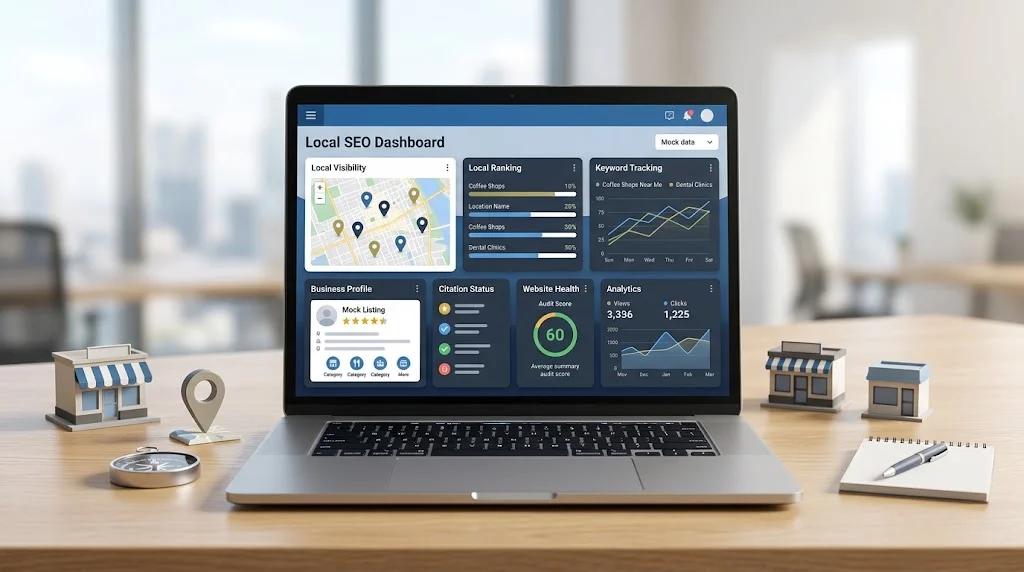
Local SEO software helps businesses understand and manage their visibility in location-based search. Instead of checking rankings, keywords, business listings, competitors, and reports separately, the right platform can bring much of this work into one organized workflow.
For a local business, search visibility can directly affect how easily potential customers discover its products or services. But local SEO involves more than rankings. Businesses also need accurate business information, relevant keywords, consistent listings, competitor insights, and a reliable way to measure progress.
Local SEO software can make those tasks easier and more consistent, but it does not replace SEO strategy or guarantee higher rankings.
In this guide, you’ll learn what local SEO software does, how it works, which features matter most, who should use it, and how to choose a platform based on your actual business requirements.
What Is Local SEO Software?
Local SEO software is a set of tools designed to help businesses monitor, analyze, and manage their visibility in local search.
Unlike general SEO software, which often focuses on areas such as technical SEO, backlinks, broad keyword research, and website rankings, local SEO platforms are built around geographic search and business locations.
Depending on the platform, local SEO software may help with:
- Local keyword research
- Local rank tracking
- Google Business Profile monitoring
- Citation and listing management
- Local SEO audits
- Competitor analysis
- Review monitoring
- Reporting and analytics
- Multi-location management
For example, a local restaurant might want to track how visible it is for searches related to restaurants in its city. An SEO agency may need to monitor rankings for multiple clients, while a company with dozens of branches may need to compare performance across locations.
The right tool brings relevant data together so businesses can spend less time collecting information manually and more time deciding what to do with it.
How Does Local SEO Software Work?
Most local SEO platforms follow a similar workflow: collect local search data, organize it around keywords and locations, and provide dashboards or reports that help users analyze performance.
Local Keyword Research
Local keyword research identifies searches that have geographic relevance or indicate local intent.
A tool may help uncover:
- Location-based keywords
- Search demand
- Related queries
- Service-specific searches
- Keyword opportunities
- Different types of local search intent
For example, a roofing company could research searches related to roofing services in particular cities or neighborhoods.
The objective is not to collect the largest possible keyword list. It is to identify searches that match the business’s services, locations, and potential customers.
That makes local keyword research tools particularly useful when building location-specific content and optimization plans.
Local Rank Tracking
Local rankings can vary depending on where a search is performed. A business might have strong visibility in one area and weaker visibility several miles away.
Local rank tracking software can help monitor rankings by factors such as:
- Keyword
- Geographic location
- Search engine
- Device
- Business location
Historical tracking is especially useful because it allows businesses to compare changes over time rather than relying on occasional manual searches.
A good tracking setup should focus on keywords that matter to the business instead of filling the campaign with irrelevant terms simply to produce more data.
Business Profile Monitoring
A business’s profile information is an important part of its local online presence. Information such as the business name, address, phone number, website, opening hours, services, photos, and customer reviews should remain accurate.
Google provides tools for businesses to manage their information and presence across Search and Maps. business profile management resources
Local SEO software can help organize and monitor profile-related information and performance, depending on the platform.
However, businesses should still review important information directly and make sure that published details accurately represent the real business.
Citation and Listing Management
Citations are references to a business’s information on directories and other relevant websites.
Local citation management software can help businesses find listings, monitor business information, and manage updates across supported platforms.
This can become particularly valuable when a business changes its address, phone number, website, or other important information.
The goal should not be to create as many listings as possible. Relevant, accurate, and trustworthy listings are more useful than a large collection of low-quality directories.
Local Competitor Analysis
Local SEO competitor analysis tools can help businesses understand which nearby competitors are visible for important searches.
Depending on the platform, businesses may be able to identify:
- Competitors appearing for target keywords
- Ranking differences
- Keyword opportunities
- Local visibility gaps
- Competitor listing information
- Areas where competitors appear stronger
The purpose of competitor analysis is not to copy another business. Instead, it can reveal opportunities that deserve further research.
For example, if several competitors consistently appear for a service-related search that your business does not target, that could indicate an opportunity to evaluate the service, content, or local landing page involved.

Key Features to Look for in Local SEO Software
There is no universal feature checklist that works for every business. The best platform depends on the number of locations, SEO objectives, team size, reporting needs, and level of automation required.
Local Rank Tracking
Look for accurate location-based tracking and useful historical data. The ability to track rankings at the geographic level relevant to your business is more important than simply having a large keyword limit.
Keyword Research
The platform should help you discover relevant local searches and organize keywords around services, products, and locations.
Google Business Profile Management
Business Profile-related features can make it easier to monitor important information and manage local presence. Google provides official guidance and tools for managing Business Profiles, reviews, photos, services, and business information.
Citation Management
Citation tools should make it easier to identify and maintain important business listings. Look for accuracy, relevant directory coverage, and efficient update workflows rather than focusing only on the number of directories supported.
Local SEO Auditing
Local SEO audit software can help identify potential problems with business information, location pages, technical elements, listings, and other areas that may affect local search performance.
An audit is most useful when it leads to specific actions rather than simply generating a long list of warnings.
Competitor Analysis
Competitor analysis can help explain differences in local visibility and uncover potential keyword or content opportunities.
Review Monitoring
Review monitoring helps businesses keep track of customer feedback across supported platforms. It can also make it easier for teams to identify recurring customer concerns or respond consistently.
Reporting and Analytics
A useful reporting system should make data understandable.
Look for reports that help you identify trends in rankings, visibility, listings, and other relevant metrics rather than simply presenting large amounts of raw data.
Multi-Location Management
Businesses with several locations should look for centralized location management. The platform should make it easy to compare locations while still allowing individual branches to be analyzed separately.
Agency and Client Management
Agencies may need separate projects, users, dashboards, permissions, and reports for different clients.
Automated Reporting
Automated reporting can reduce repetitive administrative work. However, automated reports should support human analysis rather than replace it.
Integrations
Integrations can connect local SEO data with analytics, reporting, CRM, marketing, or other business systems.
Before choosing a platform, check exactly which integrations are available and whether they are included in the plan you need.
If you’re comparing platforms in more detail, our guide to best local SEO software can help you evaluate different types of solutions.
Who Should Use Local SEO Software?
Small Businesses
Small businesses often have limited time and internal SEO resources. Local SEO tools can reduce repetitive work such as checking rankings, monitoring listings, and preparing reports.
The priority should be simplicity. A small business usually benefits more from a focused tool that handles its essential requirements than from a complicated platform filled with features it will never use.
SEO Agencies
Agencies managing multiple clients can use software to centralize rank tracking, reporting, competitor research, and location data.
Agency users should pay particular attention to client dashboards, white-label reporting, project limits, user management, automation, and scalability.
Multi-Location Businesses
Managing one location is very different from managing dozens.
Multi-location businesses need to maintain consistent processes while still understanding the performance of individual branches.
A centralized platform can make it easier to compare locations, track local rankings, monitor listings, and identify locations that may require additional attention.
Freelance SEO Professionals
Freelancers can use software to reduce repetitive data collection and spend more time on analysis and strategy.
For a freelancer, workflow efficiency and affordability may matter more than having every advanced enterprise feature.
Local SEO Software for Agencies
Agencies have additional requirements because the software needs to support multiple campaigns and clients at the same time.
Important capabilities can include:
- Client dashboards
- White-label reporting
- Multiple projects
- Location-level tracking
- Automated reports
- Team workflows
- User permissions
- Scalable data collection
- Custom reporting
A platform that works well for one business may become difficult to manage when an agency has dozens of campaigns.
That is why agencies should evaluate not only the feature list but also how quickly the team can create projects, review data, prepare reports, and scale the workflow.
For a deeper look at agency-specific requirements, explore local seo software for agencies.
How to Choose the Right Local SEO Software
Choosing the right platform starts with your requirements, not with whichever tool has the longest feature list.
Define Your SEO Goals
Start by identifying what you want the software to accomplish.
Do you primarily need local rank tracking? Listing management? Competitor research? Reporting? Multi-location management?
Your goals should determine the features you prioritize.
Identify the Features You Actually Need
Avoid paying for features that do not support your workflow.
A small business may only need rank tracking, listings, and reporting, while an agency may require client management, automation, and white-label reports.
Consider the Number of Locations
Location count can affect both functionality and pricing.
Check how the platform handles additional locations and whether you can manage them centrally.
Evaluate Reporting Capabilities
If reporting is important, examine whether reports can be customized, automated, exported, and shared easily.
Agencies should also check whether reports can be branded for clients.
Check Data Accuracy and Coverage
A sophisticated dashboard is not useful if the underlying data is unreliable.
Check the platform’s coverage for locations, keywords, devices, directories, and other data sources relevant to your campaign.
Compare Ease of Use
A tool should reduce workload, not create another complicated process.
Look at the interface, setup process, dashboards, filters, exports, and recurring workflows before committing.
Consider Integrations
If your team already uses analytics, CRM, reporting, or marketing systems, make sure the local SEO platform can work with them where necessary.
Review Pricing and Scalability
Do not compare only the entry-level price.
Consider how the total cost changes when you add locations, keywords, users, clients, reports, or advanced features.
Test Before Committing
A free trial, demo, or limited test project can reveal practical limitations that are not obvious from a feature page.
Test the data, interface, reporting process, location coverage, and overall workflow before making a long-term commitment.
Local SEO Software vs. Manual SEO Management
| Factor | Manual Management | Local SEO Software |
| Rank tracking | Requires repeated checks and spreadsheets | Centralized tracking and historical data |
| Keyword monitoring | Often managed manually | Keywords can be organized and monitored systematically |
| Citation management | Requires checking multiple platforms | Supported listings can be managed through a central workflow |
| Reporting | Manual collection and formatting | Dashboards and automation can reduce repetitive work |
| Competitor monitoring | Periodic manual research | Competitor data can be monitored more consistently |
| Multi-location management | Becomes difficult as locations increase | Locations can be organized within one platform |
| Time required | Higher for repetitive tasks | Lower for many recurring activities |
| Scalability | More difficult as projects grow | Generally easier to scale, depending on the platform |
The comparison is not about eliminating manual SEO. Software handles data collection and repetitive workflows, while people still need to interpret the information and make strategic decisions.
Benefits of Using Local SEO Software
The biggest benefit is efficiency.
A well-chosen platform can:
- Save time
- Centralize SEO data
- Simplify rank tracking
- Identify local visibility opportunities
- Make reporting easier
- Support multiple locations
- Monitor competitors
- Reduce repetitive work
- Improve workflow consistency
It can also make historical analysis easier. Instead of checking rankings only when something seems wrong, businesses can monitor trends and investigate meaningful changes.
However, software should not be treated as a ranking shortcut. Better software does not automatically produce better rankings. Its value comes from helping people collect, understand, and act on useful SEO information.
Common Mistakes When Choosing Local SEO Software
Choosing Based Only on Price
The cheapest option may not provide the location coverage, data quality, or reporting capabilities your business needs.
Paying for Unnecessary Features
More features do not automatically mean more value. Focus on capabilities that support real business objectives.
Ignoring Data Accuracy
Incorrect ranking or listing data can lead to poor decisions, so accuracy should be evaluated before choosing a platform.
Not Checking Location Coverage
Some tools may support local tracking but not at the geographic level your business requires.
Overlooking Reporting
Reporting becomes particularly important when SEO results need to be communicated to clients, managers, or other stakeholders.
Choosing Software That Does Not Scale
A platform that works for a few locations may become restrictive as the business expands.
Expecting Software to Replace SEO Strategy
Software provides data and automation. It does not understand the complete business context or determine the best strategy on its own.
Failing to Test the Platform
A trial or demonstration can expose limitations in usability, data coverage, reporting, or workflow before you commit.
Local SEO Software for Different Business Needs
| Business Type | Important Capabilities |
| Small business | Basic rank tracking, listings, reporting |
| SEO agency | Client management, reporting, scalability |
| Multi-location business | Location management, rank tracking |
| Freelancer | Workflow efficiency, reporting |
| Enterprise | Scalability, integrations, advanced analytics |
The right platform depends on operational complexity. A small business may prioritize simplicity and affordability, while an enterprise may need advanced permissions, integrations, location management, and analytics.
How Much Does Local SEO Software Cost?
Local SEO software pricing varies between platforms and plans.
Cost may depend on:
- Number of locations
- Number of keywords
- Number of users
- Reporting requirements
- Available features
- Integrations
- Agency or client requirements
Some platforms price according to locations, while others may use keywords, projects, users, or feature tiers.
Rather than choosing the lowest-priced option, consider total value. Ask how much manual work the platform can reduce, whether its data is reliable enough for decision-making, and whether the platform can continue supporting the business as requirements grow.
Best Practices for Using Local SEO Software
Track Keywords That Matter
Focus on keywords connected to actual products, services, locations, and customer needs.
Monitor Rankings Consistently
Regular monitoring makes it easier to recognize meaningful trends instead of reacting to isolated ranking changes.
Keep Business Information Accurate
Review important business information regularly and correct inconsistencies when they appear.
For general local search visibility principles, Google’s guidance for improving local ranking is a useful reference.
Review Competitors Regularly
Competitor analysis is most valuable when it leads to specific actions, such as researching a missing service page or improving an underdeveloped location page.
Use Reporting to Identify Trends
Reports should help answer questions, not simply display numbers.
For example:
- Which locations improved?
- Which keywords declined?
- Are important listings accurate?
- Which competitors gained visibility?
- What needs attention next?
Combine Software Data With Human Analysis
A platform can show what changed. An SEO professional still needs to investigate why it changed and determine the appropriate response.
Focus on Business Outcomes
Rankings are useful indicators, but businesses should also consider meaningful outcomes such as leads, calls, visits, inquiries, and sales.
Reassess Tools as the Business Grows
A platform that is suitable today may not be the best choice after adding locations, clients, team members, or services.
Frequently Asked Questions
What is local SEO software?
Local SEO software is a collection of tools designed to help businesses monitor and manage their visibility in local search. Common capabilities include rank tracking, keyword research, listing management, competitor analysis, auditing, and reporting.
What does local SEO software do?
It can organize and automate parts of local SEO, including tracking rankings by location, monitoring business listings, researching local keywords, analyzing competitors, and creating reports.
Is local SEO software worth it for small businesses?
It can be worthwhile when it saves meaningful time or makes local SEO easier to manage. Small businesses should focus on essential capabilities rather than paying for unnecessary complexity.
What features should local SEO software have?
Core features commonly include local rank tracking, keyword research, listing management, local auditing, competitor analysis, review monitoring, reporting, and location management.
Can local SEO software manage multiple locations?
Many platforms support multiple locations, but capabilities vary. Check how locations are tracked, organized, reported, and priced before choosing a solution.
Do SEO agencies need local SEO software?
Agencies managing multiple local campaigns can benefit from centralized rank tracking, reporting, client management, and workflow automation.
Does local SEO software improve Google rankings?
Software does not guarantee higher rankings. It provides data and tools that can help identify opportunities, problems, and trends. Rankings depend on the broader SEO strategy and implementation.
Final Thoughts
Local SEO software can make local search management more organized, measurable, and efficient.
The right platform can bring together local rank tracking, keyword research, business listings, competitor analysis, audits, reviews, and reporting. But the most important factor is not how many features a tool has. It is whether those features solve the actual problems your business or clients face.
Before choosing a platform, define your goals, identify the features you genuinely need, consider the number of locations, evaluate data accuracy, review reporting capabilities, check integrations, compare scalability, and test the software whenever possible.
Most importantly, use software as a support system rather than a replacement for SEO strategy. The strongest local SEO workflows combine reliable data with human analysis, accurate business information, useful content, relevant optimization, and consistent measurement.
The best local SEO software is ultimately the one that fits your workflow, supports your goals, and helps you make better SEO decisions without adding unnecessary complexity.