
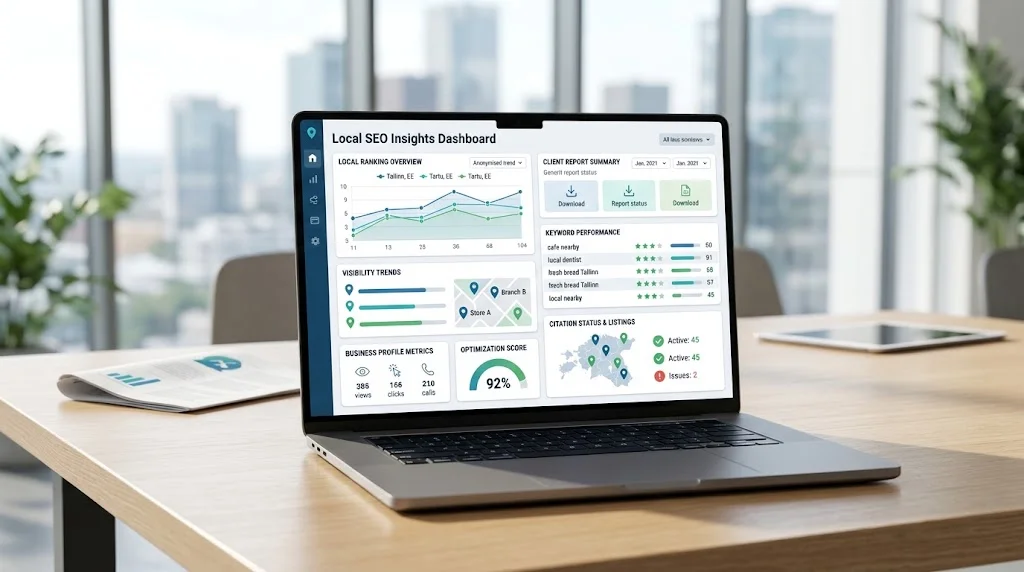
Local SEO reporting helps businesses understand whether their search visibility is improving and whether their SEO efforts are contributing to meaningful business outcomes. Unlike general SEO reporting, local SEO performance can vary by location, search area, keyword, competitor, and business listing.
That makes simple ranking reports insufficient. A useful local SEO report should explain what changed, where it changed, why it matters, and what should happen next.
Local SEO reporting software can simplify this process by organizing ranking data, keyword performance, local visibility, business listings, competitor information, traffic, conversions, and location-level performance into dashboards and recurring reports.
However, reporting software is a support system—not a replacement for SEO strategy, business knowledge, or human analysis.
This guide explains the key features, metrics, dashboards, workflows, and evaluation criteria to consider when choosing and using local SEO reporting software.
What Is Local SEO Reporting Software?
Local SEO reporting software is a platform or tool that collects, organizes, analyzes, and presents information about local search performance.
Depending on the platform, it may help organize data related to:
- Local rankings
- Keywords
- Search visibility
- Business listings
- Competitors
- Website performance
- Organic traffic
- Conversions
- Reviews
- Multiple business locations
- SEO activities and tasks
Businesses evaluating reporting platforms can first review a broader local SEO tool selection guide to understand which capabilities may be relevant to their workflow.
The primary purpose of reporting software is to make SEO data easier to understand and communicate. Instead of manually collecting information from several sources, teams can often bring important metrics into a more organized reporting process.
For example, an agency may use a reporting platform to prepare recurring client reports, while a multi-location business may use it to compare the performance of individual branches.
Why Local SEO Reporting Is Different From General SEO Reporting
Local SEO has a geographic element that can significantly affect search performance.
A business may have strong visibility in one city while performing differently in another. Local pack results, nearby competitors, business listings, reviews, and location pages can all provide important context.
Local SEO reporting may therefore need to consider:
- Geographic search intent
- Location-specific rankings
- Local pack visibility
- Individual business locations
- Local competitors
- Business listings
- Reviews
- Location pages
A sitewide or national average can hide these differences.
For example, if five locations improve while one important location loses visibility, an overall average may make the decline difficult to notice.
Effective local SEO performance reporting should therefore connect SEO metrics with location and business context.
Key Features of Local SEO Reporting Software
Local Rank Tracking
Local rank tracking is one of the most important components of many local SEO reporting workflows.
Useful capabilities may include:
- Location-level rankings
- Keyword tracking
- Historical ranking data
- Local pack visibility
- Mobile and desktop tracking
- Competitor rankings
Geographic tracking matters because local search results can vary depending on the searcher’s location.
Businesses that need dedicated ranking monitoring can also explore local rank tracking software when building a broader reporting workflow.
Ranking data should be treated as an indicator of search visibility rather than a complete measure of SEO success.
Keyword Performance Reporting
Keyword reports should provide more than a list of ranking positions.
Useful reporting may show:
- Ranking movement
- Important keyword groups
- Location modifiers
- Search intent
- Visibility changes
- Priority keywords
For example, a local service business might organize keywords into:
- Core service terms
- Service + city searches
- Neighborhood searches
- Product or category searches
- High-intent commercial queries
This segmentation makes reports easier to interpret and helps teams focus on keywords that matter to the business.
Local Visibility Reporting
Local visibility reporting provides a broader picture than individual keyword positions.
Instead of asking only, “What position does this keyword have?”, businesses can examine patterns across important keywords and locations.
A visibility trend can help identify whether search exposure is generally improving, remaining stable, or declining.
The exact visibility calculation will depend on the reporting platform, so businesses should understand how each tool defines and calculates its visibility metrics.
Business Listing Reporting
Business listings can be an important part of a local search presence.
Depending on the platform, reporting features may help monitor:
- Listing status
- Business information
- Changes
- Consistency
- Duplicate issues
- Location-level listing information
The objective is to identify information that may need attention. Listing reports should not be treated as proof that a particular change will automatically improve rankings.
Competitor Reporting
Competitor reports can help businesses understand how their local visibility compares with other businesses in the same market.
Useful information may include:
- Competitor visibility
- Ranking differences
- Keyword overlap
- Visibility opportunities
- Market changes
Competitor reporting becomes more useful when it is analyzed by location or market instead of relying only on national comparisons.
Traffic and Conversion Reporting
Rankings do not automatically translate into customers.
Where reliable analytics and conversion tracking are configured, local SEO reports can also include:
- Organic traffic
- Landing-page performance
- Calls
- Form submissions
- Purchases
- Other tracked conversions
For website traffic, events, and conversion measurement, businesses can refer to Google Analytics measurement guidance.
These metrics provide useful business context alongside ranking and visibility data.
Automated Reporting
Reporting platforms can automate repetitive tasks such as:
- Data collection
- Ranking updates
- Dashboard refreshes
- Scheduled reports
- Recurring calculations
- Standardized summaries
Automation can save significant time when the same reporting process needs to be repeated every week or month.
However, automated data collection should not automatically mean automated conclusions. Human review remains important for explaining unusual changes, identifying potential causes, and deciding what actions to prioritize.
Local SEO Metrics to Include in Reports
The right metrics depend on the business and its goals. Reporting every available metric can make a report harder to understand rather than more useful.
| Metric | What It Shows | Why It Matters |
| Local rankings | Positions for tracked searches | Shows keyword-level visibility |
| Local pack visibility | Presence in local search results | Helps assess local exposure |
| Keyword movement | Ranking gains and losses | Identifies important changes |
| Organic traffic | Visits from search | Connects visibility with website activity |
| Conversions | Desired user actions | Helps connect SEO with business outcomes |
| Business listing status | Listing information and changes | Helps identify potential issues |
| Competitor visibility | Relative local performance | Provides market context |
| Reviews | Review activity and feedback | Adds reputation context |
| Location performance | Results by branch or market | Reveals differences between locations |
A small business may need only a few of these metrics, while an agency or multi-location organization may require more detailed segmentation.
Local SEO Reporting Dashboard
A useful local SEO reporting dashboard should make important information understandable without forcing the reader to examine dozens of charts.
Depending on the business, a dashboard might include:
- Overall search visibility
- Ranking trends
- Priority keywords
- Location performance
- Competitor movement
- Listing status
- Organic traffic
- Conversions
- Completed SEO work
- Recommendations
The goal should be clarity rather than maximum data volume.
For example, displaying hundreds of tracked keywords may provide comprehensive data, but highlighting the most commercially important keyword groups may be much more useful to a business owner.
A strong dashboard should help answer three questions:
What changed?
Why does it matter?
What should happen next?
Local SEO Reporting Software for Agencies
Agencies often have more complex reporting requirements because they may manage several clients, campaigns, locations, and reporting schedules simultaneously.
Important capabilities can include:
- Multiple client accounts
- Multiple campaigns
- Client dashboards
- Automated reports
- Custom branding
- Scheduled delivery
- User permissions
- Data organization
- Multi-location reporting
Agencies can also connect reporting with broader SEO software for agency reporting workflows that include client dashboards, rank tracking, listings, audits, and optimization activities.
The key consideration is not simply how many features a platform offers. The platform should make recurring reporting more efficient without making the underlying workflow unnecessarily complicated.
Local SEO Reporting for Multiple Locations
Multi-location businesses require reporting that can separate performance by branch, city, region, or another meaningful business grouping.
A centralized reporting system may help teams review:
- Location-by-location performance
- Regional comparisons
- Keyword differences
- Competitor differences
- Location-specific opportunities
- Overall trends
This segmentation prevents strong-performing locations from hiding weaker markets.
Businesses managing several branches should also consider how their reporting system fits into broader local seo software for multi-location businesses workflows.
For example, a company with locations in several cities might use an executive dashboard for overall performance while giving regional teams access to more detailed location-level reports.
How to Build a Useful Local SEO Report
A practical reporting process can follow these steps.
Step 1: Define the Reporting Goal
Start by deciding what the report needs to communicate.
The goal could be improving local visibility, generating leads, monitoring locations, evaluating an SEO campaign, or understanding changes in search performance.
Step 2: Identify the Most Important Locations
For multi-location businesses, determine which locations require individual reporting.
Step 3: Select Relevant Keywords
Choose commercially meaningful keywords and organize them into logical groups based on service, product, location, or intent.
Step 4: Track Local Rankings
Track rankings from relevant geographic locations and maintain historical data where available.
Step 5: Review Search Visibility
Look beyond individual positions and evaluate broader changes across important keywords and locations.
Step 6: Analyze Traffic and Conversions
Where reliable tracking exists, connect search performance with website activity and business conversions.
Step 7: Review Listings
Check important business listing information and identify notable changes or potential issues.
Step 8: Compare Competitors
Review meaningful changes in local competitors, rankings, visibility, and keyword coverage.
Step 9: Summarize Completed Work
Explain what SEO activities were completed during the reporting period.
Step 10: Identify Next Actions
Finish the report with practical recommendations rather than ending with raw data.
Local SEO Reporting Workflow
A useful reporting workflow can follow this structure:
Data Collection → Validation → Analysis → Interpretation → Visualization → Recommendations → Review
Data Collection
Collect relevant ranking, keyword, listing, traffic, conversion, and competitor data from appropriate sources.
Validation
Check unusual changes before presenting them as meaningful trends. Data anomalies or tracking changes can sometimes create misleading results.
Analysis
Identify gains, losses, patterns, and differences between locations or keyword groups.
Interpretation
Explain what the changes may mean in the context of the business and its SEO activities.
Visualization
Present the most important findings through clear charts, tables, and dashboard sections.
Recommendations
Turn findings into practical next steps.
Review
Have an SEO professional, marketer, or responsible business stakeholder review the report before it is delivered or used for decision-making.
Automated Local SEO Reports: What Should Be Automated?
Automation is most valuable for repetitive reporting activities.
Good candidates for automation
- Ranking data collection
- Dashboard updates
- Scheduled report generation
- Recurring calculations
- Standardized summaries
- Data imports
Tasks that usually require human review
- Strategic interpretation
- Explaining unusual ranking changes
- Diagnosing potential causes
- Prioritizing actions
- Business recommendations
For example, software may identify a ranking decline, but it may not be able to determine whether the change relates to competitor activity, technical issues, changes in search results, algorithmic changes, tracking differences, or another factor.
Automation should therefore support analysis rather than replace it.
What Should a Local SEO Client Report Include?
A client-facing report should be easier to understand than a raw data export.
A practical structure can include:
- Executive summary
- Key performance changes
- Important ranking movements
- Local visibility
- Traffic and conversion information
- Listing status
- Work completed
- Problems identified
- Opportunities
- Next steps
The executive summary should explain the most important developments in plain language.
Clients generally need context and recommendations more than a large collection of raw numbers.
Local SEO Reporting Software vs Manual Reporting
| Area | Manual Reporting | Reporting Software |
| Data collection | Often repetitive | Can reduce repetitive work |
| Recurring reports | Requires repeated effort | Can often be scheduled |
| Dashboard creation | Usually manual | Reusable dashboards may be available |
| Multi-location reporting | More difficult to maintain | Easier to organize and segment |
| Historical tracking | Requires consistent storage | Often supported by platforms |
| Client delivery | Usually manual | Can often be scheduled |
| Customization | Flexible but time-consuming | Depends on platform |
| Human analysis | Essential | Still essential |
The main advantage of reporting software is efficiency. It can reduce repetitive data-handling tasks while allowing people to spend more time on interpretation and strategy.

How to Choose Local SEO Reporting Software
Check Data Sources
Understand which data sources the platform supports and how information is collected.
Evaluate Local Rank Tracking
Check whether the software supports the locations, keywords, devices, search areas, and tracking frequency you actually need.
Review Dashboard Options
Look for dashboards that make important performance information easy to understand.
Check Reporting Customization
Determine whether reports can be adapted to your business, clients, locations, or reporting structure.
Evaluate Automation
Review scheduled reports, dashboard updates, recurring reporting, and other automation features.
Check Multi-Location Support
If you manage multiple locations, confirm that data can be segmented, compared, and reported effectively.
Review Client Access
Agencies should consider user permissions, client dashboards, sharing options, and delivery features.
Evaluate Integrations
Check whether the platform integrates with the analytics and other systems already used in your workflow.
Check Data Export Options
Exports can be useful when data needs to be analyzed elsewhere or incorporated into custom reports.
Assess Scalability
A platform that works for one campaign may become less suitable as the number of clients, keywords, users, or locations grows.
Calculate Total Cost
Do not evaluate software based only on its headline subscription price.
Consider potential limits for:
- Locations
- Keywords
- Users
- Reports
- Integrations
- Data
- Automation
- Client accounts
Always verify current plans, limits, integrations, and included features directly with the software provider.
Common Local SEO Reporting Mistakes
Several reporting problems can make otherwise accurate data less useful:
- Reporting too many metrics
- Focusing only on rankings
- Ignoring conversions
- Using aggregate data for multi-location businesses
- Reporting without context
- Failing to explain important ranking changes
- Creating confusing dashboards
- Automating reports without reviewing them
- Failing to identify next steps
- Measuring metrics that do not connect to business goals
A report should not exist simply because the data is easy to collect. Every major metric should have a clear purpose.
How to Make Local SEO Reports More Useful
Use these practices to improve reporting quality:
- Start with business goals.
- Keep reports focused.
- Highlight meaningful changes.
- Segment multi-location data.
- Explain unusual movements.
- Connect SEO data to business outcomes.
- Include practical recommendations.
- Use consistent reporting periods.
- Automate repetitive tasks.
- Review every automated report before delivery.
For organic search data such as clicks, impressions, queries, and search performance, Search Console performance data can also complement a local SEO reporting workflow.
The important point is to combine data sources carefully and avoid treating any single metric as a complete representation of SEO success.
Frequently Asked Questions
What is local SEO reporting software?
Local SEO reporting software helps collect, organize, analyze, and present information such as rankings, keywords, local visibility, listings, competitors, traffic, conversions, and location performance.
What should a local SEO report include?
A useful report should include the metrics connected to the business’s goals, along with important changes, context, completed work, issues, opportunities, and recommended next steps.
What metrics should be tracked in local SEO reports?
Common metrics include local rankings, local pack visibility, keyword movement, organic traffic, conversions, listing status, competitor visibility, reviews, and location performance.
Can local SEO reporting be automated?
Yes. Data collection, dashboard updates, scheduled reports, and recurring calculations can often be automated. Strategic interpretation and recommendations should still receive human review.
What is the best reporting software for local SEO?
There is no single reporting platform that is best for every business. The right choice depends on data sources, locations, keywords, reporting requirements, integrations, workflow, scalability, and budget.
Do agencies need local SEO reporting software?
Not always. However, reporting software can become valuable when agencies manage multiple clients, locations, recurring reports, and large amounts of SEO data.
How should multi-location SEO performance be reported?
Performance should generally be segmented by location, region, or another meaningful business grouping rather than relying only on an overall average.
Can local SEO reports include traffic and conversions?
Yes, provided appropriate analytics and conversion tracking are configured. These metrics can help connect local search visibility with website activity and business outcomes.
Final Thoughts
Local SEO reporting software can make SEO data easier to collect, organize, analyze, visualize, and communicate. Its greatest value is not producing more charts; it is helping businesses understand meaningful changes and make better decisions.
Effective reporting can combine local rankings, keyword performance, search visibility, business listings, competitors, traffic, conversions, and location-level data where appropriate.
For agencies and multi-location organizations, segmentation and automation can make recurring reporting more efficient. Even so, software should remain a support system for human analysis, business context, and SEO strategy.
The right reporting platform depends on the organization’s goals, locations, data requirements, workflow, budget, and expected growth.
A good local SEO report should make performance easier to understand and decisions easier to make.