
Introduction
For a local business, visibility in Google Search and Maps can play an important role in how potential customers discover the business, evaluate its information, and decide what to do next.
However, managing a Google Business Profile effectively involves more than entering a business name, address, phone number, and opening hours. Businesses may also need to monitor reviews, local rankings, competitors, listings, profile activity, and performance across one or many locations.
As these tasks grow, manual checks and spreadsheets can become difficult to maintain.
This is where Google Business Profile SEO tools can help.
These tools can organize local SEO data, monitor changes, track local rankings, analyze competitors, monitor reviews, and support reporting workflows. They can reduce repetitive work and make important changes easier to identify.
However, software is not a shortcut to guaranteed rankings. A tool can provide data and workflow support, but businesses still need accurate information, sound local SEO practices, and human judgment.
Google’s own tools and third-party SEO platforms also serve different purposes. Many businesses can use Google’s native tools for profile management and first-party performance information while using third-party software for broader tracking, analysis, and reporting.
This guide explains what these tools do, which features matter, how they fit into a local SEO workflow, and how to choose an appropriate solution.
What Are Google Business Profile SEO Tools?
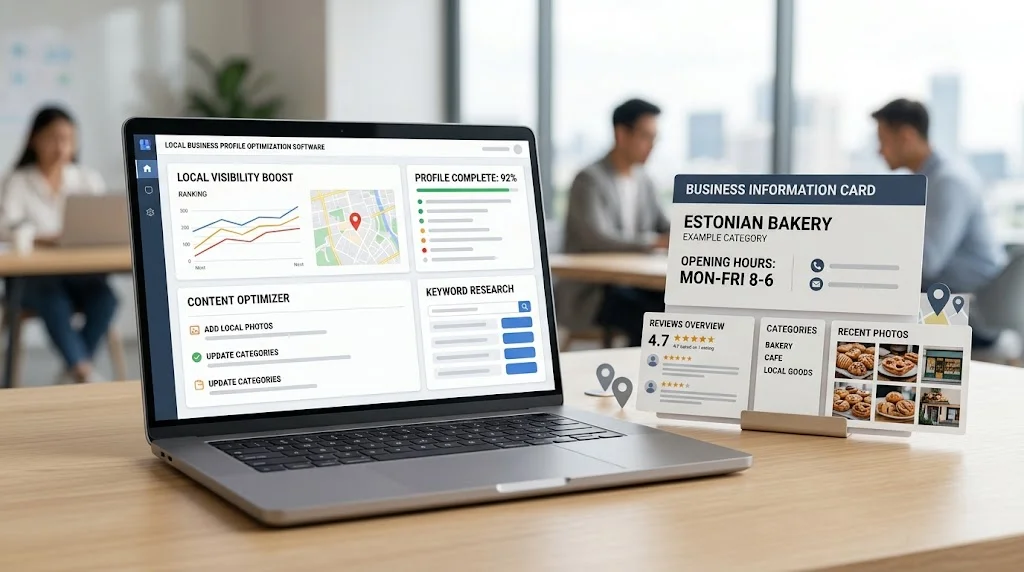
Google Business Profile SEO tools are software applications and supporting platforms that help businesses and SEO professionals manage, monitor, analyze, or report on Google Business Profile-related information and local search performance.
Depending on the provider, a platform may support:
- Business profile monitoring
- Local keyword rank tracking
- Local pack visibility
- Review monitoring
- Competitor research
- Citation and listing monitoring
- Performance analysis
- Reporting
- Multi-location management
- Alerts and notifications
The broader category of local SEO platforms can include many of these capabilities, while some platforms focus more heavily on rankings, listings, reviews, reputation, or reporting.
For smaller businesses that want to understand the wider range of tools available for managing local search, a local SEO software for small businesses resource can provide useful context.
Capabilities vary significantly between providers. One tool may be strong at local rank tracking but offer limited profile management, while another may focus primarily on listings and reviews.
For that reason, businesses should evaluate tools according to their actual workflow rather than choosing software based on feature count alone.
Google Business Profile vs Third-Party SEO Tools
Google’s own tools and third-party SEO platforms should not be treated as interchangeable.
| Area | Google Business Profile / Google Tools | Third-Party SEO Tools |
| Profile management | Core functionality | May provide supporting workflows |
| Performance data | First-party information | May organize or combine data |
| Local rank tracking | Limited compared with dedicated platforms | Often a major capability |
| Competitor analysis | Limited | Often available |
| Citation monitoring | Not the primary purpose | Common in local SEO platforms |
| Reporting | Native performance information | Custom dashboards may be available |
| Multi-location workflows | Available for eligible businesses | May provide additional organization |
| SEO analysis | Focused on Google’s ecosystem | Often broader |
Using both can be useful. Google’s tools can provide first-party information and profile management, while third-party platforms may make broader local SEO monitoring and reporting easier.
The key is understanding where each data source comes from and what it actually measures.
Why Businesses Use Google Business Profile SEO Tools
Businesses typically use these tools to make local SEO work easier to manage and measure.
Common use cases include:
- Managing important business information
- Monitoring local search visibility
- Tracking local keywords
- Reviewing competitors
- Monitoring customer reviews
- Checking listing consistency
- Managing multiple locations
- Creating recurring reports
- Reducing repetitive manual checks
For example, a company with several branches may want to know whether each location is appearing for important searches, whether customer reviews are being monitored, and whether business information remains accurate.
A tool can bring these activities into a more organized workflow.
The value comes from better data organization, monitoring, and decision support—not from the software automatically improving rankings.
Key Features of Google Business Profile SEO Tools
Business Profile Monitoring
Profile monitoring helps businesses keep track of important information and identify changes that may require attention.
Depending on the platform, this can include:
- Business name
- Primary category
- Address
- Phone number
- Website
- Hours
- Services
- Profile status
- Listing changes
Regular monitoring can help businesses detect outdated or unexpected information before it creates confusion for customers.
Local Ranking Tracking
Some platforms track local keywords from specific geographic locations and show how a business appears in local search results.
Useful capabilities can include:
- Location-specific rankings
- Local pack visibility
- Organic local rankings
- Keyword groups
- Competitor positions
- Historical ranking data
- Mobile and desktop comparisons
Dedicated rank-tracking software can be particularly useful when the objective is to understand how visibility changes across locations.
Review Monitoring
Review monitoring helps businesses organize incoming customer feedback and identify recurring themes.
Depending on the platform, features may include:
- New-review alerts
- Review history
- Rating trends
- Review organization
- Response workflows
- Feedback analysis
The purpose should be authentic reputation management. Businesses should not use software to manufacture reviews or manipulate customer feedback.
Competitor Analysis
Competitor research can provide additional context around local visibility.
Depending on the platform, businesses may compare:
- Local keyword visibility
- Ranking positions
- Profile information
- Review activity
- Search presence
- Location-level performance
Competitor data should be used as research rather than treated as proof that copying a competitor’s strategy will produce the same result.
Citation Monitoring
Some local SEO platforms also monitor business information across directories and other listing platforms.
This can help identify:
- Inconsistent information
- Old addresses
- Incorrect phone numbers
- Duplicate listings
- Outdated business details
Businesses that need a more focused approach to this area can also explore citation management software for local SEO when evaluating tools for maintaining listing consistency.
Citation monitoring becomes particularly useful after a business changes its name, address, phone number, website, or operating information.
Performance Reporting
Reporting features can bring local SEO information together into dashboards or recurring reports.
A useful report might include:
- Ranking trends
- Profile activity
- Review activity
- Listing status
- Competitor visibility
- Location performance
The best reports focus on meaningful changes rather than presenting every available metric.
Multi-Location Management
Businesses with several branches may benefit from centralized systems that organize profile-related information by location.
A centralized workflow can make it easier to compare locations while preserving the information unique to each branch.
Alerts and Notifications
Alerts can reduce the need for constant manual monitoring.
Depending on the software, notifications may identify significant ranking changes, profile changes, review activity, or listing problems.
Automation is most valuable when it brings attention to an issue that requires human review.
How to Optimize a Google Business Profile
A Google Business Profile should accurately represent the real-world business.
Important areas to review include:
- Business name
- Primary category
- Additional categories where appropriate
- Address
- Phone number
- Website
- Business hours
- Business description
- Services
- Photos
- Reviews
- Other relevant profile information
Businesses should not add keywords unnaturally to their business name simply to influence search visibility. The information should accurately represent the business.
Before making changes, businesses should review the official Business Profile support resources and follow the applicable requirements.
Optimization should focus on accuracy, completeness, relevance, and a useful customer experience rather than manipulating individual profile fields.
Google Business Profile Categories and Local Relevance
Business categories help describe what a company does and provide context for local searches.
Businesses should consider:
- Primary category
- Additional categories
- Business relevance
- Actual services
- Customer expectations
Category selection should reflect the real business.
Choosing an unrelated category because it appears attractive from an SEO perspective can make the profile less accurate and potentially confuse customers.
There is no category choice that automatically guarantees better rankings.
Google Business Profile Reviews and Reputation Monitoring
Reviews can influence how potential customers perceive a local business.
Google Business Profile tools can help businesses monitor:
- New reviews
- Review activity
- Common customer comments
- Review trends
- Response workflows
Review data can also reveal operational problems.
For example, if customers repeatedly mention slow service, confusing directions, or limited availability, the appropriate response may involve improving the business operation rather than changing an SEO setting.
Businesses should respond professionally and authentically and should never rely on artificial reviews as an SEO tactic.
Tracking Local Rankings With Google Business Profile SEO Tools
Ranking data can provide useful insight into local search visibility when it is collected consistently and from relevant locations.
A useful tracking setup may include:
- Local keywords
- Location-specific searches
- Local pack visibility
- Organic local rankings
- Competitor positions
- Historical trends
- Mobile and desktop comparisons
A business might rank strongly close to its physical location but have weaker visibility farther away. A single city-level ranking may not reveal that difference.
Businesses that need a broader understanding of how local SEO platforms fit into their overall strategy can also refer to a local SEO software buying guide when evaluating available capabilities.
Rankings should still be evaluated alongside traffic, leads, calls, and other business outcomes where reliable measurement is available.
Google Business Profile Tools for Multi-Location Businesses
Managing multiple locations creates additional complexity.
Each branch may have:
- A separate address
- A different phone number
- Different hours
- Its own business profile
- Different competitors
- Different customer reviews
- Different local rankings
Centralized software can help organize these differences without forcing every location into the same reporting view.
A good system should make it possible to compare locations while still identifying location-specific problems and opportunities.
Google Business Profile SEO Tools for Agencies
Agencies often have more complicated requirements than single-location businesses.
An agency may need to manage:
- Multiple clients
- Multiple business profiles
- Multiple locations
- Client-specific keywords
- Competitor tracking
- Review monitoring
- Client reporting
- User permissions
- Scheduled reports
- Historical data
For agencies, workflow efficiency can be just as important as the number of available features.
A platform should help teams separate client data, maintain consistent processes, and produce understandable reports without excessive manual work.
Agencies evaluating broader local search workflows can use the same buying considerations described in a local SEO software buying guide when deciding which capabilities they need.
Google Business Profile Performance Data
Businesses may review several types of performance information, depending on the available Google and third-party systems.
Potential data can include:
- Search visibility
- Website actions
- Calls
- Direction requests where available
- Profile interactions
- Review activity
- Local ranking trends
Available metrics can change over time, and different third-party platforms may collect, calculate, or display data differently.
Businesses should therefore understand the source and definition of each metric before using it in reports.
For example, a ranking increase does not necessarily mean the business received more qualified customers. Likewise, higher profile activity should be interpreted in relation to the business’s actual goals.
Google Business Profile Audit With SEO Tools
An audit can identify issues that routine monitoring may not reveal.
A profile-focused audit can examine:
- Profile completeness
- Business information
- Category relevance
- Website connection
- Hours
- Reviews
- Photos
- Local visibility
- Listing consistency
Broader local SEO audits may also examine technical SEO, website content, location pages, internal linking, and other factors.
The important distinction is that profile problems and website SEO problems are not always the same issue. A well-maintained profile does not automatically compensate for weaknesses elsewhere in the local SEO strategy.
Google Business Profile Tools vs Manual Management
| Factor | Manual Management | SEO Tools |
| Profile monitoring | Periodic manual checks | Can centralize monitoring |
| Ranking tracking | Time-consuming | Structured tracking |
| Review monitoring | Manual checking | Alerts and organization may be available |
| Competitor analysis | Manual research | Data can be organized centrally |
| Multiple locations | Difficult at scale | Better location organization |
| Reporting | Often spreadsheet-based | Dashboards and reports may be available |
| Alerts | Usually manual | Automated notifications may be available |
| Data organization | Can become fragmented | Centralized |
| Human review | Essential | Still essential |
Software is most useful for repetitive data-handling tasks. It should reduce administrative work while leaving interpretation and strategic decisions to people.

How to Choose Google Business Profile SEO Tools
Profile Management Features
Start by identifying the profile-related tasks your business actually needs.
Do not choose software simply because it has a long feature list. Focus on functions that solve real workflow problems.
Local Rank Tracking
Check whether the platform supports the locations, keywords, devices, local pack results, and historical information you need.
Review Monitoring
Evaluate whether review monitoring is detailed enough for your business and whether it fits your response workflow.
Competitor Analysis
Understand what competitor information is available, how it is collected, and whether it is genuinely useful for your market.
Citation Monitoring
If listing consistency matters, check which directories and platforms are supported and how frequently information is monitored.
Multi-Location Support
Businesses with multiple locations should review location limits, organization features, permissions, and location-level reporting.
Reporting
Look for reports that communicate meaningful changes clearly instead of simply displaying large amounts of raw data.
Integrations
Check whether the platform connects with the analytics, reporting, CRM, or other systems already used by your team.
Data Accuracy
Understand the source of the data and how often it is updated. A polished dashboard is not useful if the underlying information is unreliable.
Ease of Use
Consider whether your team can use the platform efficiently without unnecessary complexity.
Pricing and Limits
Review current pricing directly with providers. Pay attention to:
- Location limits
- User limits
- Keyword limits
- Reporting restrictions
- Monitoring limits
- Integration availability
- Included features
The cheapest platform is not always the most suitable, and the most expensive platform is not automatically the best.
Free vs Paid Google Business Profile SEO Tools
Businesses have several options when building a local SEO workflow:
- Google’s own free tools
- Free third-party features
- Paid local SEO platforms
- Enterprise-level systems
Paid software may offer additional automation, reporting, monitoring, or multi-location functionality. However, that does not mean every business needs a paid platform.
A small business with one location may be able to handle many tasks with Google’s own tools and a simple tracking process.
An agency managing many clients or a company operating across numerous locations may have stronger reasons to invest in centralized software.
The right choice depends on workload, goals, number of locations, reporting requirements, and budget.
Common Google Business Profile SEO Tool Mistakes
Several mistakes can reduce the value of these tools:
- Relying completely on automated recommendations.
- Adding keywords unnaturally to the business profile.
- Choosing irrelevant categories.
- Ignoring inaccurate business information.
- Tracking rankings without considering location.
- Treating rankings as the only KPI.
- Ignoring customer reviews.
- Ignoring competitors.
- Paying for unnecessary features.
- Failing to verify third-party data.
- Assuming software guarantees rankings.
A strong workflow uses automation where it makes sense while keeping strategic decisions under human control.
How to Build a Google Business Profile SEO Workflow
A practical workflow can follow these steps:
- Verify business information. Check the business name, address, phone number, website, hours, and other important details.
- Review profile completeness. Identify missing or outdated information.
- Check categories and services. Make sure they accurately describe what the business provides.
- Monitor reviews. Track new reviews and identify recurring customer feedback.
- Track relevant local keywords. Focus on searches that matter to customers rather than collecting hundreds of irrelevant terms.
- Review competitors. Look for meaningful differences in local visibility, positioning, reviews, and profile information.
- Audit citation consistency. Check important listings for inaccurate or outdated information.
- Monitor performance. Review profile activity, rankings, traffic, and conversions where reliable measurement is available.
- Record important changes. Document major profile, website, or SEO changes so future performance can be interpreted correctly.
- Review results and prioritize improvements. Focus on actions that have a meaningful connection to business objectives.
The workflow should be adjusted according to the size, industry, locations, and goals of the business.
Google Business Profile SEO Tools and Local SEO Reporting
Profile-related information becomes more useful when it is connected to broader local SEO reporting.
Reports may include:
- Ranking trends
- Profile activity
- Review activity
- Listing accuracy
- Competitor visibility
- Location performance
Businesses and agencies that need to combine these types of information into structured dashboards and recurring reports can use local SEO reporting workflows as part of their broader strategy.
A useful report should answer three questions:
What changed?
Why does it matter?
What should happen next?
A dashboard that only displays numbers may provide data, but it does not necessarily provide useful business insight.
Frequently Asked Questions
What are Google Business Profile SEO tools?
They are tools that help businesses monitor, manage, analyze, or report on Google Business Profile and related local SEO information. Capabilities vary by provider.
What is the best tool for managing a Google Business Profile?
There is no universally best third-party tool. The appropriate choice depends on the business’s locations, workflow, monitoring requirements, reporting needs, integrations, and budget.
Are Google Business Profile SEO tools free?
Some functionality is available through Google’s own tools. Third-party platforms may offer free features or paid plans. Current features and limitations should be checked directly with each provider.
Can SEO tools track Google Maps rankings?
Some local SEO platforms offer local pack or Google Maps-related ranking tracking. The exact methodology and capabilities vary between providers.
Can Google Business Profile tools monitor reviews?
Yes. Some platforms provide review monitoring, alerts, organization, and reporting. Businesses should still respond to customers authentically.
Can agencies use Google Business Profile SEO tools?
Yes. Agencies can use them to organize multiple clients, profiles, locations, keywords, competitors, reviews, and reporting workflows.
Can these tools manage multiple business locations?
Many local SEO platforms support multi-location workflows. However, location limits and available features vary, so businesses should check current specifications.
Do Google Business Profile SEO tools improve rankings automatically?
No. Software can support monitoring and optimization, but it cannot guarantee rankings. Local search visibility depends on many factors beyond the software itself.
What features should I look for in a GBP SEO tool?
Consider profile monitoring, local rank tracking, review monitoring, competitor analysis, citation monitoring, reporting, multi-location support, integrations, data accuracy, and ease of use.
Are third-party Google Business Profile tools officially endorsed by Google?
Not necessarily. A third-party tool should not be considered Google-endorsed simply because it works with Google-related data or services. Businesses should evaluate provider claims separately from Google’s official documentation.
Final Thoughts
Google Business Profile SEO tools can make local SEO workflows easier to monitor, organize, and analyze.
They can help businesses manage important profile information, monitor reviews, track local rankings, research competitors, monitor listings, organize multiple locations, and turn local SEO data into useful reports.
But software should support—not replace—the fundamentals of local SEO.
Accurate business information, relevant categories, useful website content, genuine customer reviews, location-focused SEO, technical quality, and sound business strategy all remain important.
Google’s own tools and third-party software can also serve different purposes. Using them together can provide a more complete workflow when additional monitoring, analysis, automation, or reporting is genuinely needed.
The most important principle is simple:
The right Google Business Profile SEO tools should make local SEO data easier to monitor, organize, and act on without replacing accurate business information, sound strategy, or human judgment.