
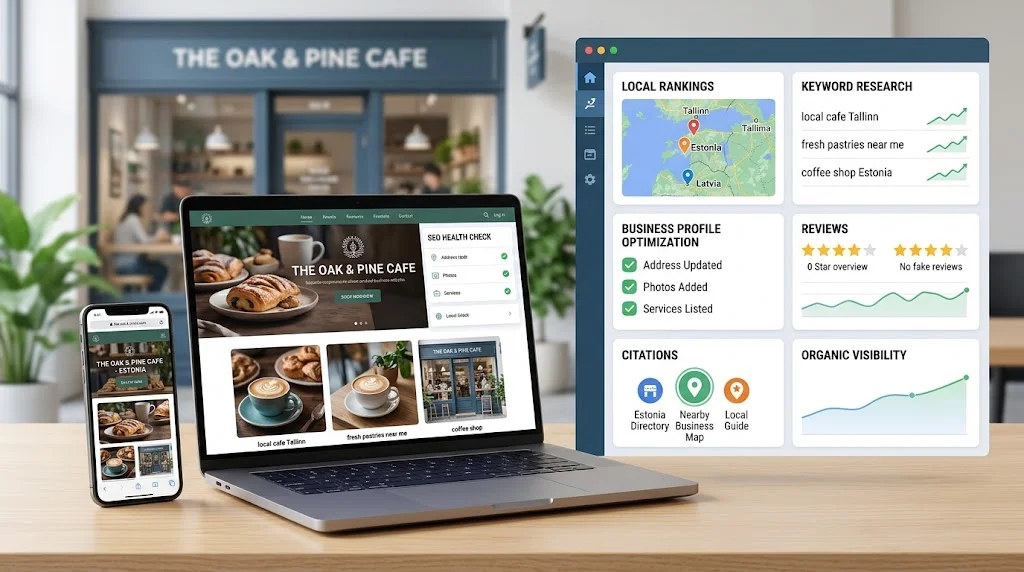
Local search can be one of the most valuable sources of visibility for a small business, particularly when customers are looking for nearby services, stores, restaurants, professionals, or other local providers.
But monitoring local rankings, researching keywords, checking business listings, watching competitors, and reviewing SEO issues manually can quickly become time-consuming. That is where local SEO tools for small businesses can help.
The goal is not to buy the software with the longest feature list. A small business usually needs a practical set of capabilities that makes local SEO easier to monitor and manage without adding unnecessary cost or complexity.
This guide explains which features matter, when free tools may be enough, what paid software can add, how costs should be evaluated, and how to choose a platform that fits your actual needs.
What Are Local SEO Tools for Small Businesses?
Local SEO tools are software applications that help businesses manage and measure activities related to visibility in local search.
Depending on the platform, they may help with:
- Local keyword research
- Local rank tracking
- Business listing management
- Google Business Profile monitoring
- Competitor research
- Local SEO audits
- Review monitoring
- Performance reporting
Some businesses use several specialized tools, while others prefer an all-in-one local SEO platform.
The broader concept includes solutions designed for different business sizes, locations, and workflows. For a practical overview of how to evaluate these platforms, see our local SEO software guide for small businesses. For a small business, however, the priority should be choosing capabilities that solve real problems rather than collecting unnecessary features.
Software can organize information and automate certain tasks, but it does not replace SEO strategy. A tool can identify a ranking change, for example, but a person still needs to determine what caused it and what action makes sense.
Why Small Businesses Use Local SEO Tools
Small businesses often manage marketing with limited time, staff, and technical resources.
A business owner may need to run the company while also keeping an eye on search visibility, competitors, listings, reviews, and website performance. Manual spreadsheets and occasional searches can work for a while, but they become harder to maintain as the business grows.
Local SEO tools can simplify tasks such as:
Monitoring rankings: Instead of repeatedly searching important keywords, a rank-tracking tool can organize historical positions.
Finding local keywords: Keyword research tools can reveal relevant searches and location modifiers that may otherwise be overlooked.
Checking listings: Listing tools can help identify inconsistencies in business information across directories.
Watching competitors: Competitor research can show which businesses appear for important local searches.
Finding SEO issues: Auditing tools can identify technical or local optimization issues that deserve attention.
Creating reports: Simple dashboards can turn scattered data into information that business owners can actually understand.
The value comes from saving time and improving decision-making—not from software automatically producing better rankings.
Essential Features Small Businesses Should Look For
Local Rank Tracking
Rank tracking is useful when a business wants to understand how its important keywords perform in a specific geographic area.
Look for capabilities such as:
- Location-specific rankings
- Important local keyword tracking
- Historical ranking data
- Mobile and desktop visibility
- Local search or map visibility where supported
A small business does not necessarily need thousands of tracked keywords. A focused group of commercially relevant searches can be much more useful.
Local Keyword Research
Keyword research tools can help identify searches connected to the business’s products, services, and location.
Useful capabilities include:
- Location modifiers
- Search intent
- Keyword discovery
- Keyword grouping
- Search-volume indicators
- Competition indicators
- Geographic targeting
For example, a local plumbing company may gain more value from researching service-plus-location searches than from collecting hundreds of unrelated keywords.
Business Listing Management
Accurate business information matters for customers and for maintaining consistent local business data.
Listing management tools can help businesses monitor information such as:
- Business name
- Address
- Phone number
- Website
- Business categories
- Opening hours
The exact directories and management capabilities vary by platform, so businesses should verify coverage before subscribing.
Businesses that need more specialized listing and citation functionality can also explore local citation management tools to understand how these platforms handle directory coverage, consistency, and updates.
Google Business Profile Support
Google Business Profile is an important part of local visibility for eligible businesses. Software may provide monitoring, management, or reporting functions around business profile information. Businesses looking for more specialized Google Business Profile SEO tools can compare the specific features available for monitoring and managing profile-related workflows.
However, businesses should understand exactly what a particular tool can and cannot manage.
For official guidance on maintaining business information and using the profile correctly, consult the Google Business Profile guidelines.
Competitor Research
Competitor research can help a small business understand its local search environment.
Useful information may include:
- Nearby competitors
- Competitor rankings
- Shared keywords
- Ranking differences
- Local visibility gaps
- Competitor listing information
The purpose is not to copy competitors. It is to identify areas where the business may have an opportunity to improve.
Local SEO Audits
A local SEO audit can help identify problems affecting a website or local search presence.
Depending on the software, audits may examine areas such as:
- Technical issues
- Business information
- On-page optimization
- Local signals
- Website health
- Listing consistency
For businesses specifically interested in software for identifying and organizing SEO issues, a dedicated guide can provide a more focused comparison.
Reporting
Small business reporting should be understandable.
Instead of presenting dozens of metrics, a useful report might focus on:
- Important ranking changes
- Local visibility trends
- Keyword performance
- Listing activity
- Completed SEO work
- Major issues
- Recommended next steps
The best report is not necessarily the longest one. It is the one that helps the business decide what to do next.
Which Local SEO Tools Does a Small Business Actually Need?
Not every business needs every feature.
| Business Need | Useful Tool Capability | Priority |
| Track local rankings | Local rank tracking | High |
| Find local keywords | Keyword research | High |
| Manage listings | Citation/listing management | High |
| Monitor competitors | Competitor analysis | Medium |
| Check SEO issues | Local SEO auditing | Medium |
| Monitor reviews | Review monitoring | Medium |
| Create reports | Reporting | Medium |
| Manage many locations | Multi-location tools | Depends on business |
A single-location service business may only need rank tracking, keyword research, listing management, and basic reporting.
A growing company with several branches may need centralized location management and more advanced reporting.
The right combination depends on the business model.

Free vs Paid Local SEO Tools for Small Businesses
Free tools can be useful, especially when a business is just starting local SEO.
Paid platforms generally become more attractive when a business needs greater automation, historical tracking, centralized information, or more structured reporting.
| Factor | Free Tools | Paid Tools |
| Basic research | Often sufficient | More structured capabilities |
| Rank tracking | May be limited or manual | Usually more convenient |
| Automation | Limited | More available depending on platform |
| Reporting | Basic or manual | More structured |
| Competitor analysis | Varies | Often broader |
| Multiple locations | Often limited | More suitable for scaling |
| Data limits | Common | Depends on plan |
| Scalability | Limited | Usually better suited to growing needs |
Free tools may be enough for a small business owner who only needs occasional research and basic checks.
Paid software can make sense when manual work is consuming significant time or when the business needs consistent historical data and recurring monitoring.
The important question is not whether paid software is better in general. It is whether the additional capabilities are valuable enough for your business.
How Much Do Local SEO Tools Cost?
There is no single price that applies to all local SEO software.
Cost can depend on factors such as:
- Number of locations
- Number of keywords
- Number of users
- Reporting requirements
- Data limits
- Integrations
- Automation
- Subscription tier
- Additional features
How Small Businesses Should Evaluate Pricing
Start by identifying the features you actually need.
Then check whether the plan includes enough:
- Locations
- Keywords
- Users
- Reports
- Historical data
- Data exports
- Integrations
Also check the cost of additional locations or users if your business may expand.
A low starting price can become less attractive if essential capabilities require upgrades or add-ons. Always verify current pricing directly with the provider before making a purchasing decision.
Best Local SEO Tools by Small Business Need
Rather than choosing one universal winner, evaluate tools according to the task you need to solve.
For Local Rank Tracking
Prioritize accurate geographic settings, useful keyword limits, historical rankings, local search visibility, and reporting.
The ability to track the same keywords consistently over time can be more useful than an enormous keyword database.
For Keyword Research
Look for tools that help identify relevant local searches, location modifiers, search intent, and keyword opportunities.
Avoid collecting keywords simply because a tool makes it easy to generate large lists.
For Business Listings
Look for accurate business information management, listing discovery, consistency monitoring, and practical update workflows.
Directory coverage also matters, particularly if your business operates in a specific country or market.
For Competitor Research
Useful competitor-analysis capabilities should help you understand ranking differences, keyword opportunities, local visibility, and potential gaps.
Competitor data should support strategy rather than encourage direct imitation.
For Reporting
Look for simple reporting that highlights meaningful changes, important keywords, local visibility, completed work, and recommended actions.
For a small business, clarity is usually more valuable than a dashboard filled with metrics that nobody reviews.
Local SEO Tools for Businesses With One Location
A single-location business should generally start with a focused toolset.
Important capabilities include:
- Local rank tracking
- Important keyword monitoring
- Business information management
- Review monitoring
- Competitor visibility
- Simple reporting
For example, a local restaurant may want to monitor searches related to its cuisine and location, keep business information accurate, watch nearby competitors, and understand whether local visibility is improving.
There may be little reason for that business to purchase enterprise-level software designed around hundreds of locations.
Local SEO Tools for Businesses With Multiple Locations
Requirements become more complex when a business operates several branches, offices, stores, or service areas.
The software may need to support:
- Location-level rankings
- Location-specific keywords
- Centralized business information
- Competitor tracking by market
- Location-specific reporting
- Comparisons between branches
If a business has multiple locations, the more detailed guide to can help explain the additional workflow and management requirements.
How to Choose Local SEO Tools for Small Businesses
A practical selection process can prevent unnecessary spending.
Step 1: Define Your Local SEO Goals
Decide whether your main goal is ranking visibility, listings, keyword research, competitor monitoring, reporting, or a combination.
Step 2: Identify Your Most Important Locations
Determine whether you operate from one location, several branches, or service multiple geographic areas.
Step 3: Choose the Essential Features
Separate must-have features from optional ones.
Step 4: Determine Your Keyword Tracking Needs
Estimate how many important keywords you actually need to monitor.
Step 5: Evaluate Ease of Use
A powerful tool is not useful if the team cannot configure and understand it efficiently.
Step 6: Check Data Accuracy
Test location settings, rankings, historical information, and update frequency where possible.
Step 7: Review Reporting
Make sure reports answer practical questions rather than simply displaying data.
Step 8: Compare Total Costs
Look beyond the advertised starting price and consider limits, additional users, locations, and features.
Step 9: Test Before Buying
Use a trial, demo, or available testing option when possible.
Step 10: Reassess as Your Business Grows
Your needs may change when you add locations, employees, services, or marketing channels.
Common Mistakes Small Businesses Make When Choosing SEO Tools
Several mistakes can make local SEO software more expensive or less useful than expected.
Buying the most expensive tool: More expensive does not automatically mean better for your situation.
Choosing based only on popularity: A popular platform may still contain features your business does not need.
Paying for unused features: Avoid paying for advanced functionality that will never become part of your workflow.
Ignoring ease of use: Complex software can create more work rather than reduce it.
Focusing only on rankings: Rankings are useful indicators, but they are not the entire picture of business performance.
Not checking location coverage: Make sure the software supports the geographic areas you need to monitor.
Ignoring data limits: Keyword, location, user, or report limits can affect long-term value.
Not testing the software: A demo or trial can reveal usability problems before you commit.
Expecting automatic ranking improvements: Software provides information and workflow support. It does not guarantee better rankings.
Using too many disconnected tools: A small business may create unnecessary complexity by maintaining several overlapping platforms.
How to Use Local SEO Tools Effectively
Once you select a tool, use it consistently.
A practical approach is to:
- Track only meaningful local keywords.
- Monitor rankings on a regular schedule.
- Keep business information accurate.
- Review competitors periodically.
- Check local SEO issues regularly.
- Investigate meaningful performance changes.
- Use reports to guide decisions.
- Combine software data with manual analysis.
- Focus on leads, calls, visits, bookings, or other relevant outcomes.
- Upgrade software only when business requirements justify it.
For broader SEO principles that support local search visibility, Google’s SEO fundamentals for website owners are also useful background reading.
The key is to turn software data into decisions. A ranking change is an observation; understanding why it happened and deciding what to do about it is the actual SEO work.
When Should a Small Business Invest in Paid Local SEO Software?
Paid software can become worthwhile when:
- Manual ranking checks take too much time.
- The business operates multiple locations.
- Reporting is becoming difficult.
- Competitor monitoring has become important.
- Historical ranking data is needed.
- Multiple people need access.
- Local SEO information needs to be centralized.
- Repetitive monitoring or reporting can be automated.
On the other hand, a paid platform may not be necessary when the business has one location, a small number of important keywords, limited SEO activity, and enough time to perform basic monitoring manually.
The decision should be based on time saved, information gained, and workflow improvement, not simply the number of features included.
Frequently Asked Questions
What are the best local SEO tools for small businesses?
There is no universal best option. The right tool depends on location count, SEO goals, required features, budget, reporting needs, and technical comfort.
Do small businesses need local SEO software?
Not always. Some businesses can manage basic local SEO manually, while others benefit from software when monitoring becomes repetitive or difficult to organize.
Are free local SEO tools enough?
They can be enough for basic research and occasional checks. Paid tools become more useful when a business needs structured tracking, historical data, automation, or broader reporting.
How much do local SEO tools cost?
Costs vary by provider and plan. Location count, keywords, users, features, reports, data limits, and integrations can all affect the total cost.
What features should small businesses prioritize?
Start with the capabilities that directly support your goals. For many businesses, these include local rank tracking, keyword research, listing management, competitor research, and simple reporting.
Can local SEO tools track Google rankings?
Many local SEO platforms provide geographic rank tracking, but the exact tracking methods and coverage vary. Always check how the provider handles location, device, keywords, and update frequency.
Can local SEO software manage multiple locations?
Some platforms support multi-location workflows, while others are better suited to smaller campaigns. Businesses with several locations should verify location limits and location-level reporting before purchasing.
Do local SEO tools guarantee better rankings?
No. Software can help with research, monitoring, organization, and analysis, but rankings depend on many factors and cannot be guaranteed by a software subscription.
Final Thoughts
The right local SEO tools for small businesses should make local search work easier to understand and manage—not turn a simple marketing process into a complicated software project.
A small business should evaluate tools according to its goals, number of locations, SEO knowledge, required features, budget, reporting needs, and available time.
For a single-location business, a focused tool with reliable rank tracking and basic local SEO capabilities may be enough. A growing business with several locations may need centralized management, location-level tracking, and scalable reporting.
The best approach is to identify the actual problem first, then choose software that solves it.
Software should support your local SEO strategy—not replace it.