
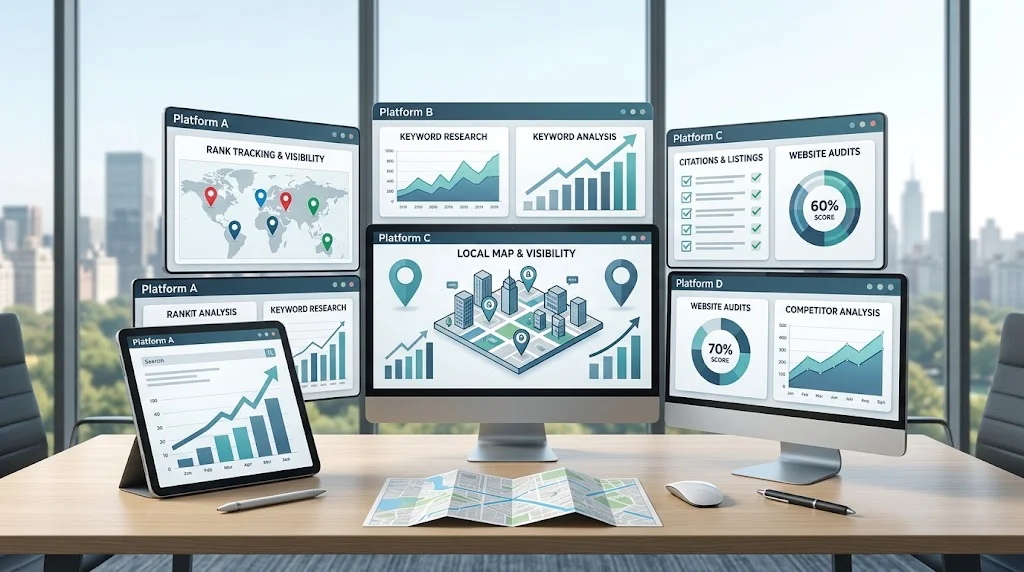
Choosing among the top local SEO software options can be challenging because different platforms are designed for different workflows, business sizes, and levels of local search complexity.
A small business with one location may primarily need local rank tracking, keyword research, and straightforward reporting. An SEO agency may require multi-client management, recurring reports, user permissions, and scalable location tracking. A multi-location organization may place greater importance on location-level rankings, listings, competitor monitoring, and centralized reporting.
That is why the right choice is not simply the platform with the longest feature list. It is the platform that fits the way you actually manage local SEO.
This guide explains the features, use cases, pricing considerations, scalability requirements, and evaluation criteria that can help businesses and SEO professionals compare local SEO platforms more effectively.
What Is Local SEO Software?
Local SEO software helps businesses and SEO professionals monitor, manage, and analyze activities related to local search visibility.
Depending on the platform, common capabilities can include:
- Local rank tracking
- Keyword research
- Business listing management
- Competitor analysis
- Local SEO audits
- Review monitoring
- Business profile management
- Reporting
- Multi-location management
The main benefit is organization. Instead of managing local SEO information manually across multiple systems, software can bring important data and recurring tasks into a more structured workflow.
For a broader explanation of how businesses can select and use these platforms, see our guide to choosing local SEO software.
However, software is a support system, not an SEO strategy. It can collect and organize information, but professionals still need to interpret the data and decide what actions should be taken.
What Makes a Local SEO Software Platform a Top Choice?
There is no universal definition of a “top” local SEO platform.
A platform may be excellent for an agency but unnecessarily complex for a small business. Another may work well for a single location but lack the scalability required by a company with dozens of branches.
When evaluating top local SEO platforms, consider these factors:
Feature Coverage
Look for the features that solve your actual SEO requirements. More features do not automatically mean greater value.
Data Quality
Ranking, keyword, competitor, listing, and historical data should be reliable enough to support practical decisions.
Location Accuracy
Local search results vary by geography. Check whether the platform can track the cities, regions, service areas, or individual locations relevant to your campaigns.
Ease of Use
A powerful platform can still create problems if campaign setup, navigation, or reporting is unnecessarily complicated.
Reporting
Good reporting should turn raw data into information that users, managers, and clients can understand.
Integrations
Relevant integrations can reduce manual data transfer and connect local SEO information with other marketing workflows.
Scalability
Consider whether the platform can handle additional clients, locations, keywords, users, and reports as requirements grow.
Pricing
Evaluate the total cost for your expected usage rather than focusing only on an advertised starting price.
Support
Documentation, onboarding resources, and customer support can matter when software becomes part of a recurring workflow.
Business Fit
Ultimately, the best platform is the one that provides the capabilities you need without creating unnecessary complexity or cost.
Top Local SEO Software Features to Compare
A useful local SEO software comparison should examine how each feature works, not simply whether a feature appears on a product page.
For official guidance on the factors that influence local search visibility, see Google’s guidance for improving local ranking
| Feature | What to Compare | Why It Matters |
| Local rank tracking | Geographic settings, history, frequency, devices | Helps monitor visibility in specific markets |
| Keyword research | Local modifiers, intent, volume, grouping | Helps identify relevant search opportunities |
| Listing management | Directory coverage, consistency, update options | Helps organize business information |
| Business profile tools | Monitoring and location management | Helps maintain accurate local business data |
| Competitor analysis | Competitor rankings, keyword gaps, listings | Helps identify opportunities |
| Local SEO auditing | Local and technical checks | Helps uncover issues requiring attention |
| Review monitoring | Review tracking and organization | Helps monitor customer feedback |
| Reporting | Dashboards, exports, scheduling, historical data | Makes performance easier to communicate |
| Multi-location support | Location segmentation and comparison | Important for businesses with multiple branches |
| Integrations | Available systems and data connections | Can reduce manual work |
| Automation | Recurring tasks and reports | Improves workflow efficiency |
| Client management | Projects, users, permissions, reporting | Particularly useful for agencies |
The important question is not “Does the software have this feature?”
It is:
“Does the feature work in the way my business needs?”
For example, a platform may offer rank tracking but provide limited geographic controls. Another may support reporting but make customization difficult. These differences can have a major impact on practical usefulness.

Top Local SEO Software by Use Case
Different businesses have different requirements, so the most suitable local SEO platform can vary considerably.
For Small Businesses
Small businesses often benefit from simplicity.
Important considerations include:
- Easy setup
- Essential local SEO features
- Local ranking monitoring
- Keyword tracking
- Listing management
- Straightforward reporting
- Reasonable overall cost
A business with one location may not need the same level of complexity as an enterprise team managing hundreds of locations.
The priority should be obtaining useful information without creating another complicated system to manage.
For SEO Agencies
Agencies typically need software that can support several clients and campaigns simultaneously.
Important capabilities may include:
- Multi-client management
- Multiple projects
- Location tracking
- Recurring reporting
- Client dashboards
- User permissions
- Workflow organization
- Integrations
- Scalable keyword tracking
- White-label capabilities where required
Agency buyers should evaluate the complete workflow, from adding a new client to generating and delivering recurring reports.
For Freelancers
Freelancers often need a balance between functionality, efficiency, and cost.
Useful capabilities can include:
- Multiple campaigns
- Local rank tracking
- Keyword management
- Competitor monitoring
- Reporting
- Efficient campaign setup
A freelancer may gain more value from a focused platform that handles core tasks efficiently than from a complex system containing features that are rarely used.
For Multi-Location Businesses
Multi-location organizations need to understand both overall performance and the performance of individual locations.
Useful capabilities include:
- Location-level rankings
- Location-specific keywords
- Centralized data
- Competitor tracking
- Listing management
- Location comparisons
- Scalable reporting
The platform should make it easy to identify which locations are performing well and which may require additional attention.
For Enterprise Teams
Enterprise teams generally need greater scalability and control.
Important considerations can include:
- Large keyword and location capacity
- User permissions
- Advanced integrations
- Centralized reporting
- Large datasets
- Workflow controls
- Scalable account structures
Enterprise buyers should pay particular attention to limits, integrations, permissions, data management, and long-term costs.
Top Local SEO Software for Small Businesses
When comparing local SEO software for small businesses, start with the tasks that actually matter.
For example:
Need: Monitor local rankings.
Additional need: Research relevant local keywords.
Operational need: Manage business listings.
Communication need: Produce simple performance reports.
Once these requirements are defined, businesses can eliminate platforms that provide unnecessary complexity.
A small business should also consider whether the software makes the data understandable. A sophisticated dashboard is not automatically useful if the business owner cannot determine what changed or what action should be taken.
Top Local SEO Software for Agencies
Agency requirements go beyond basic ranking monitoring.
An agency may need to manage dozens of campaigns while keeping client data, locations, keywords, competitors, and reports organized.
Key evaluation areas include:
- Multi-client management
- Location tracking
- Automated reporting
- Client dashboards
- User permissions
- Workflow management
- Integrations
- Scalable data limits
- White-label reporting where required
Our detailed guide to [local seo software for agencies]([ARTICLE #3 URL]) explores these agency-specific requirements in greater depth.
When testing a platform, agencies should simulate a real client workflow rather than reviewing only the feature list. Add a representative campaign, configure locations and keywords, generate a report, and determine how much manual work remains.
Comparing Local SEO Software Pricing
Local SEO software pricing can be structured in many different ways.
The total cost may depend on:
- Number of locations
- Number of keywords
- Number of clients
- Number of users
- Number of projects
- Reporting capacity
- Available features
- Data limits
- Integrations
- Add-ons
- Enterprise requirements
This makes direct price comparisons difficult.
A lower starting price may not necessarily result in a lower total cost if additional locations, keywords, users, or reports require upgrades.
What to Check Beyond the Advertised Price
Before choosing a platform, determine whether the expected cost changes when you add:
- More locations
- More keywords
- Additional users
- Additional clients
- Higher reporting limits
- Premium features
- Data exports
- API access
- Integrations
Also review the provider’s current plan conditions, billing structure, and usage limits.
Because pricing and plans can change, verify current details directly with the provider before purchasing.
Top Local SEO Software for Rank Tracking
When comparing local rank tracking tools, businesses should look beyond basic ranking positions and evaluate how accurately each platform handles locations, devices, historical data, and tracking frequency.
Look at:
- Geographic search settings
- Local search positions
- Map or local-pack visibility
- Mobile tracking
- Desktop tracking
- Historical rankings
- Keyword limits
- Tracking frequency
- Competitor tracking
- Reporting options
Geographic accuracy is particularly important.
A ranking tracked from one location may not represent what users see elsewhere. Businesses operating across several markets should therefore check whether the platform provides the geographic detail required for meaningful analysis.
Ranking data should also be interpreted in context.
A ranking improvement does not automatically mean more customers, leads, or revenue. Where possible, ranking information should be considered alongside traffic, conversions, calls, bookings, sales, and other relevant business outcomes.
Top Local SEO Software for Reporting
Reporting is particularly important when SEO performance needs to be communicated to clients, managers, or business owners.
Useful reporting capabilities may include:
- Ranking changes
- Visibility trends
- Keyword performance
- Listing activity
- Competitor information
- Traffic where relevant
- Conversions where available
- Completed work
- Recommendations
- Next steps
- Historical comparisons
A strong report should communicate three things:
What changed → Why it matters → What should happen next
This is more useful than presenting a collection of charts without context.
If reporting is a major requirement, our guide to [local seo reporting software]([ARTICLE #8 URL]) provides a more focused look at the capabilities and workflows involved.
When evaluating reporting, create an actual sample report. Check whether the data is understandable, whether important information can be customized, and whether the final output is appropriate for the intended audience.
Top Local SEO Software for Multi-Location SEO
Multi-location SEO requires more than simply adding multiple business addresses to one campaign.
Each location can have different:
- Rankings
- Keywords
- Competitors
- Search demand
- Listing information
- Performance trends
A suitable platform should make it possible to organize these differences without creating excessive manual work.
Important capabilities include:
- Location segmentation
- Location-specific keyword tracking
- Local competitor monitoring
- Listing management
- Centralized dashboards
- Location comparisons
- Scalable reporting
For example, a business could compare the visibility of five branches while still being able to open an individual location and investigate its rankings, competitors, and local search performance.
Businesses managing many locations should also evaluate how easily reports can be grouped, filtered, and delivered.
For a deeper discussion of this use case, see [local seo software for multi-location businesses]([ARTICLE #7 URL]).
How to Compare Top Local SEO Software
A structured evaluation process can reduce the risk of choosing software based on marketing claims alone.
Before comparing individual platforms, it helps to establish consistent SEO software review criteria so that each tool is evaluated on the same factors.
Step 1: Define Your SEO Goals
Determine what you need the software to accomplish.
This could include rank monitoring, keyword research, listing management, competitor analysis, reporting, or multi-location management.
Step 2: List Required Features
Separate essential features from optional features.
This keeps your comparison focused.
Step 3: Determine Locations and Keywords
Estimate your current and expected number of locations and tracked keywords.
Consider future growth rather than evaluating only today’s requirements.
Step 4: Evaluate Data Quality
Test the accuracy, consistency, geographic relevance, and historical availability of important data.
Step 5: Test Reporting
Create sample reports and assess whether they clearly communicate useful information.
Step 6: Check Integrations
Determine whether the platform connects with the systems your team already uses.
Step 7: Review Usability
Test common workflows such as campaign setup, keyword configuration, location management, competitor research, and report creation.
Step 8: Calculate Total Cost
Consider actual usage and potential expansion rather than the starting plan alone.
Step 9: Test the Platform
Use a representative campaign whenever a trial or demonstration is available.
Step 10: Compare Long-Term Scalability
Ask how the platform will perform if you add clients, locations, keywords, users, or reporting requirements.
The strongest choice is usually the platform that remains useful as the workflow develops.
Local SEO Software Comparison Checklist
Before making a final decision, use this checklist:
- ☐ Local rank tracking
- ☐ Keyword research
- ☐ Listing management
- ☐ Business profile support
- ☐ Competitor analysis
- ☐ Local audits
- ☐ Review monitoring
- ☐ Reporting
- ☐ Multiple locations
- ☐ User management
- ☐ Integrations
- ☐ Data exports
- ☐ Scalability
- ☐ Pricing
- ☐ Customer support
For each item, classify it as essential, useful, or not required.
This makes the evaluation more objective and helps prevent impressive but unnecessary features from influencing the final decision.
For readers conducting a more detailed platform-to-platform evaluation, a dedicated [local seo software comparison]([ARTICLE #15 URL]) can provide a useful framework for assessing alternatives against the same criteria.
Common Mistakes When Choosing Local SEO Software
Choosing Based Only on Popularity
A widely known platform may still be a poor fit for a specific business model or workflow.
Assuming the Most Expensive Platform Is Best
Price does not automatically indicate better value.
Buying Unnecessary Features
Unused functionality can increase complexity without providing meaningful benefits.
Ignoring Location Coverage
A platform must support the geographic areas that matter to your business.
Ignoring Data Quality
A large quantity of data is not useful if the underlying information cannot be trusted.
Focusing Only on Rankings
Rankings matter, but they should be considered alongside broader business outcomes.
Overlooking Reporting
If performance needs to be communicated regularly, reporting should be evaluated before purchase.
Not Testing the Platform
A feature list cannot show whether a tool actually works well for your team’s workflow.
Ignoring Scalability
A platform that works for one campaign may become inefficient as the number of locations, keywords, or users increases.
Expecting Software to Replace SEO Strategy
Software can collect, organize, and present information. It cannot replace research, strategic planning, content decisions, technical SEO, or professional analysis.
How to Get the Most From Local SEO Software
Buying a platform is only the first step. Consistent use determines much of its practical value.
Track Meaningful Local Keywords
Prioritize keywords that reflect actual services, products, locations, and customer intent.
Segment Campaigns by Location
Organize location-level data so performance differences are easy to identify.
Monitor Competitors Consistently
Use competitor data to discover opportunities rather than simply copying competitor strategies.
Review Listing Data Regularly
Monitor important business information and investigate inconsistencies or changes.
Use Historical Data
Look for trends over time instead of reacting to isolated ranking movements.
Automate Repetitive Reporting
Use scheduled or automated reporting where it genuinely reduces administrative work.
Combine Software Data With Human Analysis
Automation can identify changes, but professionals need to interpret those changes and determine appropriate actions.
Focus on Business Outcomes
Where reliable data is available, connect local search performance with meaningful outcomes such as leads, calls, bookings, sales, or other conversions.
Review Tool Usage Periodically
If important features remain unused, reconsider whether they justify the cost and complexity.
Upgrade Only When Requirements Justify It
Move to a higher plan or more advanced platform when additional capacity or functionality solves a genuine business requirement.
Frequently Asked Questions
What is top local SEO software?
Top local SEO software refers to platforms that provide useful capabilities for managing, monitoring, or analyzing local search optimization. There is no single platform that is best for every business.
How do I choose local SEO software?
Start with your goals, locations, keywords, required features, reporting needs, budget, and expected growth. Then compare suitable platforms against the same criteria.
What features should local SEO software have?
Common capabilities include local rank tracking, keyword research, listing management, competitor analysis, local audits, reporting, review monitoring, and multi-location support.
What is the best local SEO software for small businesses?
The appropriate choice depends on the business’s locations, budget, workflow, and requirements. Small businesses often benefit from simple platforms that provide essential local SEO capabilities without unnecessary complexity.
What local SEO software is useful for agencies?
Agencies should look for capabilities such as multi-client management, scalable rank tracking, reporting, user management, location support, integrations, and efficient workflows.
Can local SEO software manage multiple locations?
Many platforms support multiple locations, but capabilities and limits vary. Check location capacity, geographic tracking, reporting, listing management, and location-level organization before purchasing.
How much does local SEO software cost?
Costs vary by provider and usage. Pricing may depend on locations, keywords, users, clients, reports, features, integrations, and data limits.
Is local SEO software worth paying for?
It can be worthwhile when reliable data, workflow automation, centralized management, or reporting saves meaningful time or improves decision-making. Its value depends on the user’s actual requirements.
Final Thoughts
The top local SEO software is not automatically the platform with the most features, highest visibility, or highest price.
The right choice depends on your business type, SEO goals, number of locations, keyword requirements, reporting needs, budget, workflow, and expected growth.
A small business may prioritize simplicity. An agency may need multi-client management and scalable reporting. A freelancer may value efficiency and cost control. A multi-location organization may need detailed location-level tracking and centralized management. Enterprise teams may require stronger integrations, permissions, and scalability.
The most reliable approach is to define your requirements first, compare platforms using consistent criteria, test important capabilities, evaluate data quality, review reporting, calculate the total cost, and consider how the software will perform as your needs change.
Ultimately, good software should make local SEO more organized, measurable, and efficient—while leaving strategy and professional judgment in the hands of SEO experts.