
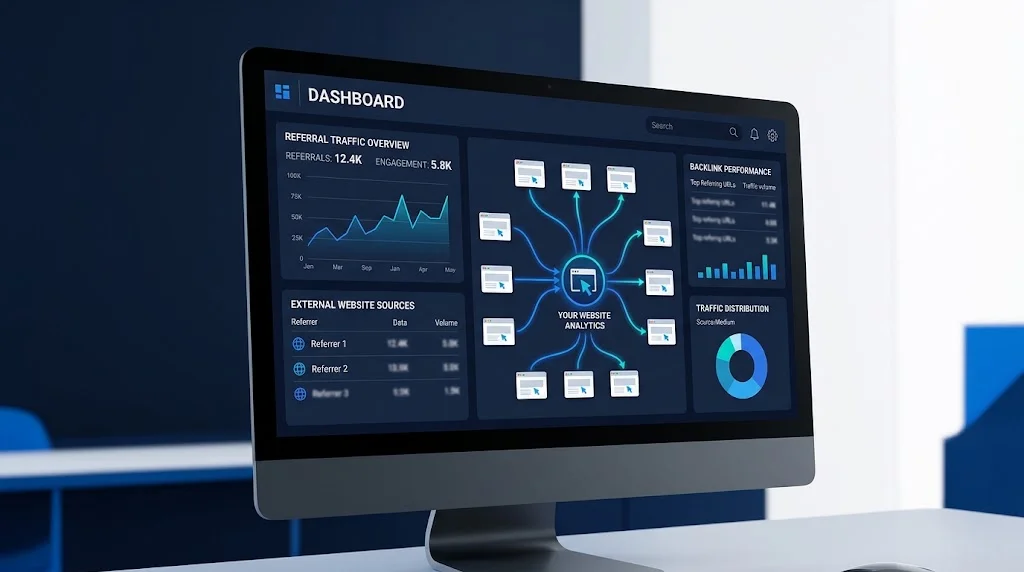
Google Analytics 4 (GA4) can help you identify external websites that send visitors to your site, but it is not a complete backlink database.
That distinction matters because a backlink can exist without generating any traffic. If nobody clicks the link, GA4 has no referral session to report. When visitors do arrive through an external link, however, GA4 can help you investigate the source, destination page, engagement, and actions that followed.
So instead of asking:
“Where are all my backlinks in Google Analytics?”
A more useful question is:
“Which external sources are sending visitors to my website, which pages are receiving that traffic, and what do those visitors do after they arrive?”
That is where GA4 becomes valuable for backlink research.
Google’s current GA4 reporting structure places this analysis in the Traffic acquisition report, where dimensions such as Session source, Session medium, and Session source / medium can be used to investigate where sessions originated.
For the broader Google-based backlink discovery process, see our guide to using Google Analytics to analyze referral traffic.
What Google Analytics Actually Shows About Backlinks
GA4 does not crawl websites to create a list of links pointing to your domain.
Instead, it records information about visitors arriving at your website. When someone follows a link from another website and Analytics receives the relevant attribution data, that visit may appear as referral traffic.
The basic path looks like this:
External website → link click → your website → GA4 records the session
This can tell you that an external source sent traffic. It does not necessarily tell you:
- every website that links to you
- every individual backlink on the referring website
- the exact page containing the link
- the anchor text
- whether a link is still live
- whether a link is indexed by Google
For that reason, GA4 is best viewed as a traffic and behavior layer within backlink research.
A Five-Step Backlink Analysis Framework
A practical GA4 workflow can be organized into five stages:
1. Discover
Identify external sources that have sent visitors.
2. Trace
Determine which page visitors reached and what referral information is available.
3. Verify
Check the external website to confirm that an actual hyperlink exists.
4. Measure
Analyze engagement, key events, revenue, or other meaningful outcomes.
5. Act
Use the findings to improve content, partnerships, reporting, or link management.
This approach prevents you from treating every referral entry as a confirmed backlink.
How to Find Backlinks in Google Analytics 4
The main GA4 report you need is:
Reports → Acquisition → Traffic acquisition
Step 1: Open Your GA4 Property
Sign in to Google Analytics and select the property associated with the website you want to investigate.
Choose a suitable date range before reviewing the data.
A longer period can be useful for backlink research because referral traffic is often irregular. A source may send several visitors in one week and none during the next month.
Step 2: Open Traffic Acquisition
From the left-hand menu, go to:
Reports → Acquisition → Traffic acquisition
The report may initially show a broader channel-level view.
To investigate individual sources, change the table dimension.
Step 3: Select Session Source / Medium
Use the dimension selector and choose:
Session source / medium
You may see entries such as:
| Session source / medium | What it may indicate |
|---|---|
example.com / referral | Referral traffic from an external website |
partner-site.com / referral | Traffic from a partner |
directory.com / referral | Traffic from a directory or listing |
publisher.com / referral | Traffic from an external publication |
The actual sources will depend on your website’s traffic.
Step 4: Focus on Referral Sources
Review entries classified as referral traffic.
This gives you a practical starting list of external sources that have generated recorded sessions.
However, treat each source as something to investigate rather than immediately labeling it a confirmed backlink.
Referring Domain vs. Backlink
These two concepts are related but not identical.
Suppose GA4 reports:
example.com / referral
You know Analytics attributed a session to that source. You do not necessarily know which page on example.com contained the link.
There could also be several links from the same domain.
For example:
example.com/article-a/example.com/resources/example.com/tools/
All could potentially send traffic to your site.
A useful way to think about the distinction is:
GA4 provides traffic evidence.
The external page provides link evidence.
Combining those two pieces gives you a much stronger record.
How to Find the Pages Receiving Referral Traffic
Finding the referring source is only part of the investigation.
You should also determine which page on your website received the traffic.
For example:
industrysite.com → /seo-guide/directory.com → /
Both are referral sources, but the first may indicate that a specific article is attracting external attention while the second may simply be a general website listing.
When reviewing referral traffic, useful dimensions and metrics include:
- Session source / medium
- Landing page
- Sessions
- Engagement rate
- Key events
- Revenue, where applicable
This creates a simple relationship:
Source → Destination → Visitor behavior
That relationship is more useful for decision-making than a raw list of referring domains.
Why the Landing Page Matters
Referral traffic can reveal which pieces of content attract attention from external audiences.
For example, a website may consistently receive referrals to:
- Detailed guides
- Tutorials
- Original research
- Free tools
- Comparisons
- Resource pages
- Checklists
These pages may be useful candidates for future updates or promotion.
Instead of focusing only on the number of backlinks, ask:
“What makes this page useful enough for another website to send its audience here?”
That question can uncover valuable content patterns.
How to Investigate the Exact Referring Page
Sometimes a referring domain is not enough.
You may want to know whether the traffic came from:
example.com
or:
example.com/resources/seo-guide/
GA4 includes a Page referrer dimension that can provide information about the previous URL associated with a visit.
However, the complete referring URL is not guaranteed for every session.
You might see:
rather than:
This can happen because the available referrer information depends on what is passed through the browser and referring website.
How to Use Page Referrer for Backlink Research
For deeper investigation, use a GA4 Exploration.
Open:
Explore → Free form
Consider adding dimensions such as:
- Page referrer
- Page location
- Landing page + query string
- Session source / medium
- Session default channel group
Useful metrics include:
- Views
- Active users
- Sessions
- Event count
- Key events
- Revenue, where applicable
You should also exclude your own domain when investigating external backlinks.
For example:
yoursite.com/article-a → yoursite.com/article-b
is internal navigation, not a backlink.
The objective is to isolate genuinely external sources.
A Simple Referrer Investigation Example
Suppose GA4 shows:
Page referrer:https://publisher.com/
Landing page:https://yoursite.com/seo-guide/
This tells you that traffic was attributed to the publisher’s domain, but it does not necessarily identify the exact article.
You can then investigate the publisher manually by searching its website for your brand or destination URL.
If you find:
with a link to your guide, you now have stronger evidence.
The chain becomes:
GA4: publisher sent traffic
Manual inspection: publisher contains the link
Destination: your SEO guide
Behavior: visitors interacted with the page
That is a confirmed traffic-producing backlink rather than an assumption based only on a referral row.
How to Verify a Referral as a Backlink
Once you identify an important referring source, manually inspect it.
1. Find the External Page
Open the referring website or search the site for your domain or brand.
2. Locate the Hyperlink
Confirm that a clickable link actually points to your website.
3. Check the Destination
Compare the linked destination with the page shown in your Analytics data.
4. Review the Context
Look at the surrounding content and determine how the link is being used.
5. Record the Anchor Text
Note the visible text used for the link.
6. Check the Current Status
Make sure the link is still live.
7. Check Redirects
If the link points to an old URL, determine whether the destination redirects to another page.
This process separates a genuine backlink from an unverified referral source.
Why Some Backlinks Never Appear in GA4
A backlink can exist without producing a visible referral session.
Nobody Clicked the Link
This is the most straightforward explanation.
If a publisher links to your site but nobody follows the link, there is no referral visit for GA4 to record.
Referral Information Was Limited
The referring website or browser may not provide the full referral URL.
The Visit Was Classified as Direct
Some visits can appear as (direct) / (none) when Analytics cannot determine a clear source.
Tracking Was Unavailable
Consent settings, blockers, implementation issues, or other technical conditions can affect the information Analytics receives.
Another Service Intervened
A visitor may pass through another service before reaching your website, which can affect the source information available to Analytics.
Therefore, the absence of a referral entry should not be interpreted as proof that no backlink exists.
GA4 vs. Google Search Console
GA4 and Search Console answer different questions, so they work well together.
| Question | GA4 | Search Console |
|---|---|---|
| Which sources sent sessions? | Yes | No |
| How many referral sessions occurred? | Yes | No |
| How engaged were visitors? | Yes | No |
| Which sources generated key events? | Yes | No |
| Which external links Google reports? | No | Yes |
| Which linking sites Google reports? | No | Yes |
| Which linking text Google reports? | No | Yes |
| Complete backlink database? | No | No |
The practical approach is to combine the datasets.
Search Console contributes Google’s reported link information, while GA4 adds the visitor behavior layer.
For another Google-based discovery method, see our guide to researching backlinks through Google Search.
Classify Backlinks as Found, Clicked, Verified, or Valuable
Instead of putting every link into one “backlink” category, separate the evidence into stages.
Found
The source was discovered through Search Console, Google Search, another SEO tool, or manual research.
Clicked
GA4 recorded traffic from the external source.
Verified
You manually confirmed that the hyperlink exists.
Valuable
The referral produced meaningful engagement, leads, sales, or another relevant outcome.
For example:
| Source | Found | Clicked | Verified | Outcome |
|---|---|---|---|---|
| Publisher A | Yes | Yes | Yes | Strong engagement |
| Directory B | Yes | No | Yes | No referral data |
| Partner C | Yes | Yes | Yes | Key events |
| Website D | Yes | Yes | No | Investigate |
This structure keeps link existence separate from traffic performance.
How to Measure Whether Backlink Traffic Is Useful
Traffic volume alone does not tell you whether a referral source is useful.
Look at several metrics.
Sessions
Shows the number of sessions attributed to the source during the selected period.
Engagement Rate
Helps indicate whether visitors interacted meaningfully with your site.
Key Events
Depending on your setup, these may include:
- Form submissions
- Registrations
- Purchases
- Demo requests
- Downloads
Revenue
For websites with appropriate ecommerce or revenue tracking, referral sources can be connected with commercial outcomes.
This creates a useful chain:
Backlink → Visit → Engagement → Action → Revenue
Not every website needs to measure revenue. The important point is to evaluate referral traffic according to the outcome that matters to your site.
Do Not Judge a Backlink Only by Traffic Volume
A source with fewer sessions can still produce more useful visitors than a source with a much larger audience.
For example:
Source A
- 300 sessions
- Low engagement
- No key events
Source B
- 20 sessions
- High engagement
- 4 qualified leads
Traffic volume alone does not explain that difference.
GA4 becomes especially useful here because it adds behavioral context to backlink research.
Find Content That Attracts Referral Traffic
Referral data can also help with content planning.
Create a list of pages receiving traffic from external sources and look for patterns.
You may find that external visitors frequently arrive on:
- Original research
- Practical tutorials
- Industry guides
- Free tools
- Data-driven articles
- Templates
- Resource pages
Those patterns can help identify content formats worth developing further.
Instead of asking only:
“How can I get another backlink?”
also ask:
“What type of content is already earning attention from external audiences?”
That shift can make backlink analysis more useful for content strategy.
How to Investigate a Sudden Referral Spike
A sudden increase in referral traffic deserves investigation.
Suppose a page normally receives five referral sessions per week and suddenly receives 150.
Follow this process:
- Check the date range.
- Identify the source.
- Check the destination page.
- Review Page referrer where available.
- Search the referring domain manually.
- Confirm the external link.
- Review engagement.
- Check key events.
- Record the finding.
The spike could be associated with:
- A newly published article
- A resource page
- A partner mention
- A community discussion
- A newsletter
- A social or app referral
- A temporary promotion
GA4 shows you the traffic pattern; external investigation helps explain its source.
How to Find Your Most Useful Referral Sources
Instead of sorting only by sessions, create several views.
Highest Referral Sessions
Useful for identifying major traffic sources.
Highest Engagement
Useful for finding sources that send more involved visitors.
Highest Key-Event Contribution
Useful for identifying sources that generate important actions.
Highest Revenue
Useful for ecommerce or monetized websites.
Best Landing Pages
Useful for discovering which content attracts external audiences.
These views can produce different results, which is why relying on one metric can hide useful information.
What About UTM Parameters?
UTM parameters are useful when you control the link.
For example, you may control links used on:
- Partner websites
- Directory profiles
- Campaign pages
- Sponsored placements
- Newsletters
- Co-marketing pages
Parameters such as:
utm_source
utm_medium
utm_campaign
can provide additional campaign information in Analytics.
For example:
utm_source=partner-site
utm_medium=referral
utm_campaign=content-partnership
This makes controlled referral campaigns easier to separate and analyze.
Do Not Add UTMs to Editorial Links You Do Not Control
If another publisher independently links to your article, you normally do not control its destination URL.
In that situation, standard referral attribution is what you should investigate.
UTMs are primarily useful for links and campaigns that you manage yourself.
Watch for Unwanted Referral Sources
Not every referral-looking domain represents an independent backlink.
Your Analytics data can include services that are part of your own customer journey, such as:
- Payment processors
- Checkout systems
- Authentication services
- Booking platforms
- Third-party tools
Google provides an unwanted referrals configuration for domains that should not be treated as external referrals in your reporting.
This can reduce noise and make the referral data easier to interpret.
Build a Useful Backlink Spreadsheet
If you regularly investigate backlinks, record each source in a structured spreadsheet.
| Field | What to record |
|---|---|
| Referring domain | External website |
| Referring URL | Exact page, when available |
| Destination URL | Your page receiving the link |
| Anchor text | Visible hyperlink text |
| Link status | Live, removed, redirected |
| Found through | GSC, GA4, Google Search, crawler, manual |
| Referral sessions | Traffic generated |
| Engagement rate | Visitor engagement |
| Key events | Important actions |
| Revenue | Revenue where applicable |
| Verified | Yes / No |
| Link context | Editorial, directory, partner, etc. |
| Next action | Monitor, reclaim, update, investigate |
The Found through field is particularly useful because it keeps different types of evidence separate.
A link discovered by a crawler is not the same as a link that generated GA4 traffic.
A Monthly GA4 Backlink Workflow
For many websites, a monthly review is sufficient.
Step 1: Review Referral Sources
Open:
Reports → Acquisition → Traffic acquisition
Then review Session source / medium.
Step 2: Look for Changes
Check for:
- New sources
- Traffic spikes
- Lost referral traffic
- New destination pages
- Unexpected domains
Step 3: Investigate Important Sources
Review Page referrer where available and inspect the external website.
Step 4: Verify the Link
Confirm the:
- URL
- Destination
- Anchor
- Context
- Current status
Step 5: Compare With Search Console
Use Google’s reported link information as another data source.
Step 6: Measure Outcomes
Review:
- Engagement
- Key events
- Revenue
- Landing-page performance
Step 7: Update Your Spreadsheet
Record the findings so you can compare them over time.
Step 8: Look for Patterns
Ask:
- Which content attracts external visitors?
- Which sites send engaged users?
- Which sources generate useful actions?
- Which pages repeatedly receive referrals?
- Which relationships may be worth developing?
This turns backlink reporting into an ongoing research process.
A Practical Backlink Traffic Matrix
Combining link verification with traffic data makes the analysis more actionable.
| Situation | What it tells you | Suggested investigation |
|---|---|---|
| Verified + referral traffic | Link exists and sends visitors | Analyze engagement and outcomes |
| Verified + no referral traffic | Link exists but has no recorded referral traffic | Monitor over time |
| Referral traffic + unverified link | External source sent traffic but link is not confirmed | Investigate manually |
| Referral traffic + high engagement | Source sends involved visitors | Study the relationship |
| Referral traffic + key events | Source contributes meaningful actions | Analyze destination and audience |
| Referral traffic + no engagement | Source may be poorly matched or noisy | Investigate the source |
| Unexpected referral source | Attribution needs investigation | Check the source and user journey |
| Internal domain referral | Internal navigation | Exclude from backlink analysis |
The important point is that referral traffic and backlink status should be analyzed separately before drawing conclusions.
What GA4 Cannot Tell You About a Backlink
GA4 is not designed to provide every attribute associated with a backlink.
It cannot independently provide a complete answer to questions such as:
- How many external websites link to you?
- Which links have never received clicks?
- What is the complete anchor-text profile?
- Which links are nofollow?
- Which links are sponsored?
- Which links are UGC?
- When was every backlink created?
- Which backlinks were recently removed?
For those questions, use dedicated backlink discovery and link-analysis sources, then manually inspect important links.
GA4 has a different role:
It helps you understand what happened after tracked visitors arrived.
A Three-Tool Backlink Workflow
For broader backlink research, think of Google’s tools as complementary layers.
Google Search
Useful for finding pages, mentions, and potential linking opportunities.
Google Search Console
Useful for Google’s reported external-link information.
Google Analytics 4
Useful for referral traffic and visitor behavior.
The datasets will not always match, and that is normal.
A link may exist without receiving clicks. A referral may be recorded without exposing the exact external page. A link may appear in one system and not another because the systems collect different types of information.
The goal is not to force all three datasets into the same numbers.
The goal is to understand what each one can tell you.
Common Mistakes to Avoid
Mistake 1: Treating GA4 as a Backlink Database
GA4 reports traffic sources, not a complete backlink index.
Mistake 2: Assuming Every Referral Is a Confirmed Backlink
Verify important sources manually.
Mistake 3: Using Only Sessions to Judge a Source
Review engagement and meaningful outcomes as well.
Mistake 4: Assuming No Referral Means No Backlink
A link can exist without producing a recorded visit.
Mistake 5: Expecting Every Page Referrer to Show the Full URL
Available referrer information can be limited.
Mistake 6: Forgetting Internal Referrals
Your own pages can appear as referring pages.
Mistake 7: Ignoring Redirects
An external link may point to an older URL that redirects elsewhere.
Mistake 8: Treating Every Unusual Referral as Valuable
Investigate unexpected sources before adding them to your backlink conclusions.
Mistake 9: Following Outdated Universal Analytics Tutorials
Older guides may describe reports and workflows from Universal Analytics.
Current GA4 backlink-related analysis starts with the Traffic acquisition report and session-level traffic-source dimensions.
Quick Checklist
Use this checklist whenever you investigate backlink traffic in GA4:
- Open the correct GA4 property.
- Select an appropriate date range.
- Open Reports → Acquisition → Traffic acquisition.
- Select Session source / medium.
- Review referral sources.
- Check sessions and engagement.
- Review key events or revenue where relevant.
- Identify destination pages.
- Investigate Page referrer where available.
- Exclude your own domain when appropriate.
- Manually verify important external links.
- Record destination URLs and anchor text.
- Compare findings with Search Console.
- Separate verified links from unverified referral sources.
- Look for content patterns.
- Update your backlink spreadsheet.
Frequently Asked Questions
Can Google Analytics show all backlinks?
No. GA4 records traffic sources and referral sessions rather than maintaining a complete index of every hyperlink pointing to your website.
Where can I find referral traffic in GA4?
Go to Reports → Acquisition → Traffic acquisition and investigate dimensions such as Session source, Session medium, or Session source / medium.
What is the difference between a backlink and referral traffic?
A backlink is a hyperlink on another website pointing to your website. Referral traffic is a recorded visit attributed to an external source. A backlink can exist without generating referral traffic.
Can GA4 show the exact website that linked to me?
GA4 can often identify the referring domain. Page referrer may provide additional URL information when available, but the complete external page is not guaranteed for every session.
Why does GA4 show (direct) / (none)?
This classification is used when Analytics does not have a clear source for the visit. Missing source information, redirects, offline documents, and other situations can contribute to direct traffic classification.
Can I see which backlinks generate conversions?
You can analyze referral sessions alongside key events and revenue when those measurements are properly configured. This can help connect external traffic with website outcomes.
Should GA4 and Search Console show the same backlink data?
No. They serve different purposes and collect different types of data. Search Console provides Google’s reported link information, while GA4 focuses on tracked traffic and user behavior.
Can Page referrer show the exact article containing my backlink?
Sometimes, but not always. The available referrer information depends partly on what the browser and referring website pass to Analytics.
Final Takeaway
GA4 should not be treated as a backlink database.
Its value is in showing which external sources sent tracked visitors and what happened after those visitors arrived.
A practical workflow is:
Discover → Trace → Verify → Measure → Act
Use search and backlink research methods to discover potential links.
Use Search Console to examine Google’s reported link information.
Use GA4 to understand referral traffic, destination pages, engagement, and meaningful actions.
Then manually verify important external links.
This approach separates four different signals:
a link that exists, a link that was clicked, a link that was verified, and a link that produced useful results.
That distinction makes GA4 much more useful for practical backlink analysis.